| This article explains how to add a contact to a file and assign them the role of attorney or case officer. This assignment is required so that deadlines can later be filtered by group in the "Deadlines and Tasks" report. |
| Prerequisite The relevant contact (an attorney or case handler) must be created in Continux. |
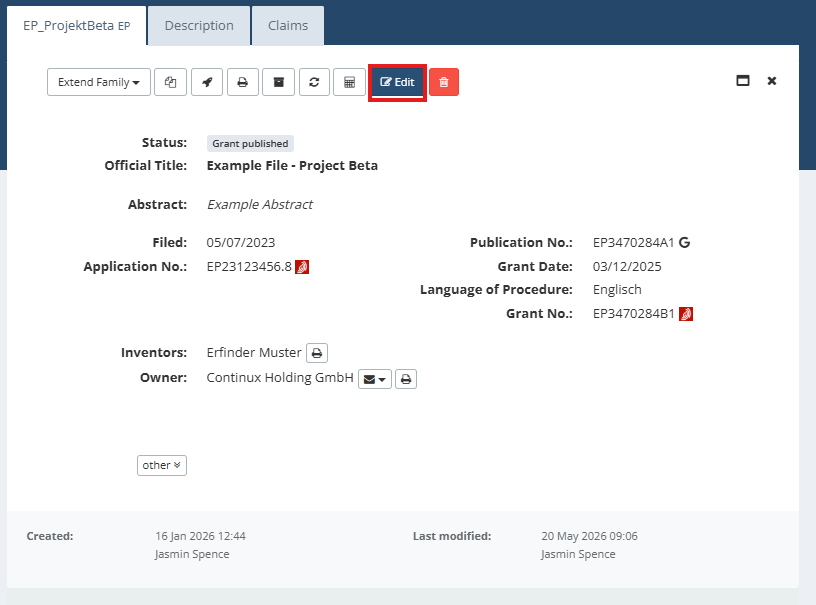
1. Open the record to which you want to assign a contact by clicking Edit |
 |
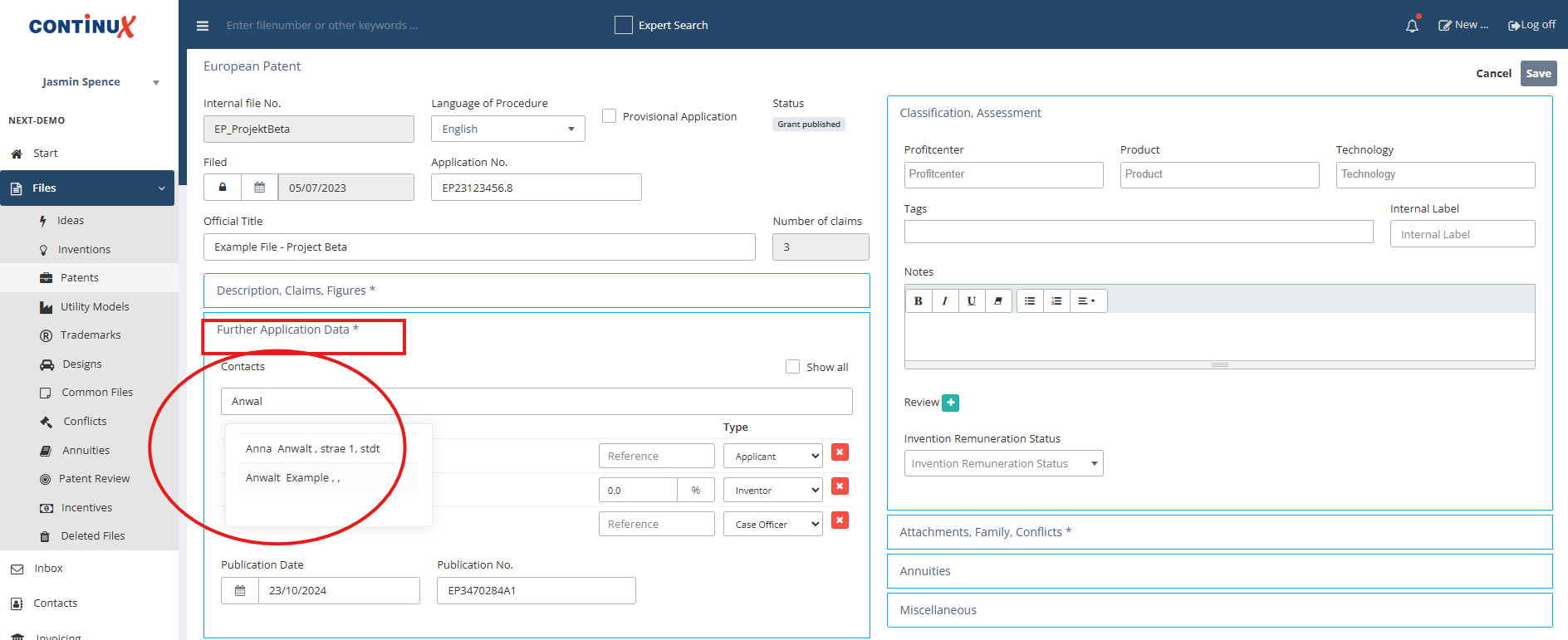
| 2. Switch to the Further Application Data tab in the record 3. Under the Contacts section you can search for existing contacts and add them |
 |
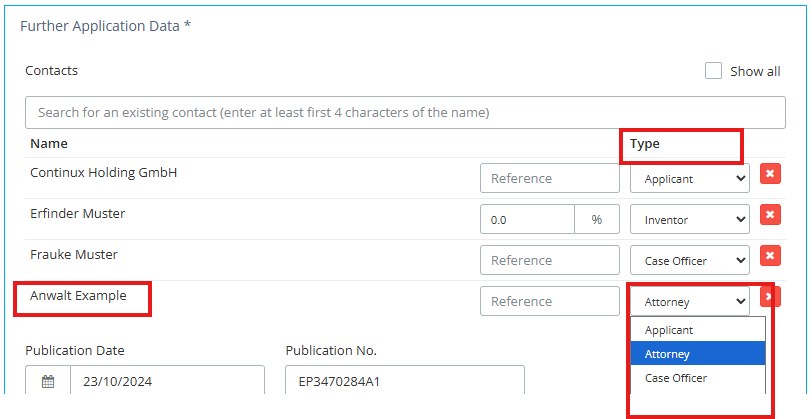
| 4. Select the desired role in the Type column, e.g. select Attorney or Case Officer from the drop down |
 |
| 5. Click Save to complete the process 6. Click Cancel to return to the record overview 7. In the overview you can see the person assigned as attorney in the record. |
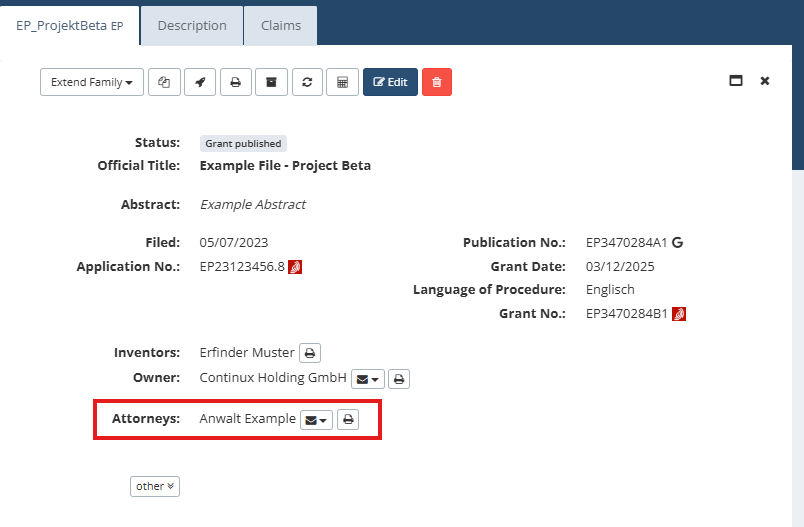 |
| Tip: Multiple attorneys can be assigned to a file and the assigned attorneys will then appear in the record overview. General Information Who is visible in the file overview? Applicants, inventors, attorneys and representatives. Who is not shown there? Case Officers. |
| Note This assignment is required so that the associated deadlines and/or tasks in the Terms & Tasks Report can be filtered by attorney (deadlines only), case worker (deadlines only) or inventor (tasks only) using the "Assigned Group" dropdown. |
Further Articles and Links ➔ Contacts – Creating a Contact in Continux ➔ Report: Terms & Tasks – Using the Filters (coming soon) |
War dieser Artikel hilfreich?
Das ist großartig!
Vielen Dank für das Feedback
Leider konnten wir nicht helfen
Vielen Dank für das Feedback
Feedback gesendet
Wir wissen Ihre Bemühungen zu schätzen und werden versuchen, den Artikel zu korrigieren