| Contacts in Continux form the central basis for the assignment of e.g. files, IP rights and deadlines. The contact module allows both persons and companies to be searched, created and quickly retrieved in day-to-day work. |
Accessing and Finding Contacts The contact module is opened via the main menu under "Contacts". The contact overview displays two tabs at the top: "Persons" and "Companies". The filter bar above the list is used for quick searching within the active tab.
|
 |
| The green buttons "New Contact" and "New Company" each open the input mask for creating a new contact. Separate step-by-step guides are available for both options (see further links at the bottom). Company Data and Linked Files When an entry is selected in the company list, a detail view opens on the right with a compact summary of the company data. This tab displays information such as the address, any notes and further stored information. Below this, the linked files are shown, provided the company has been recorded as a party in those files. |
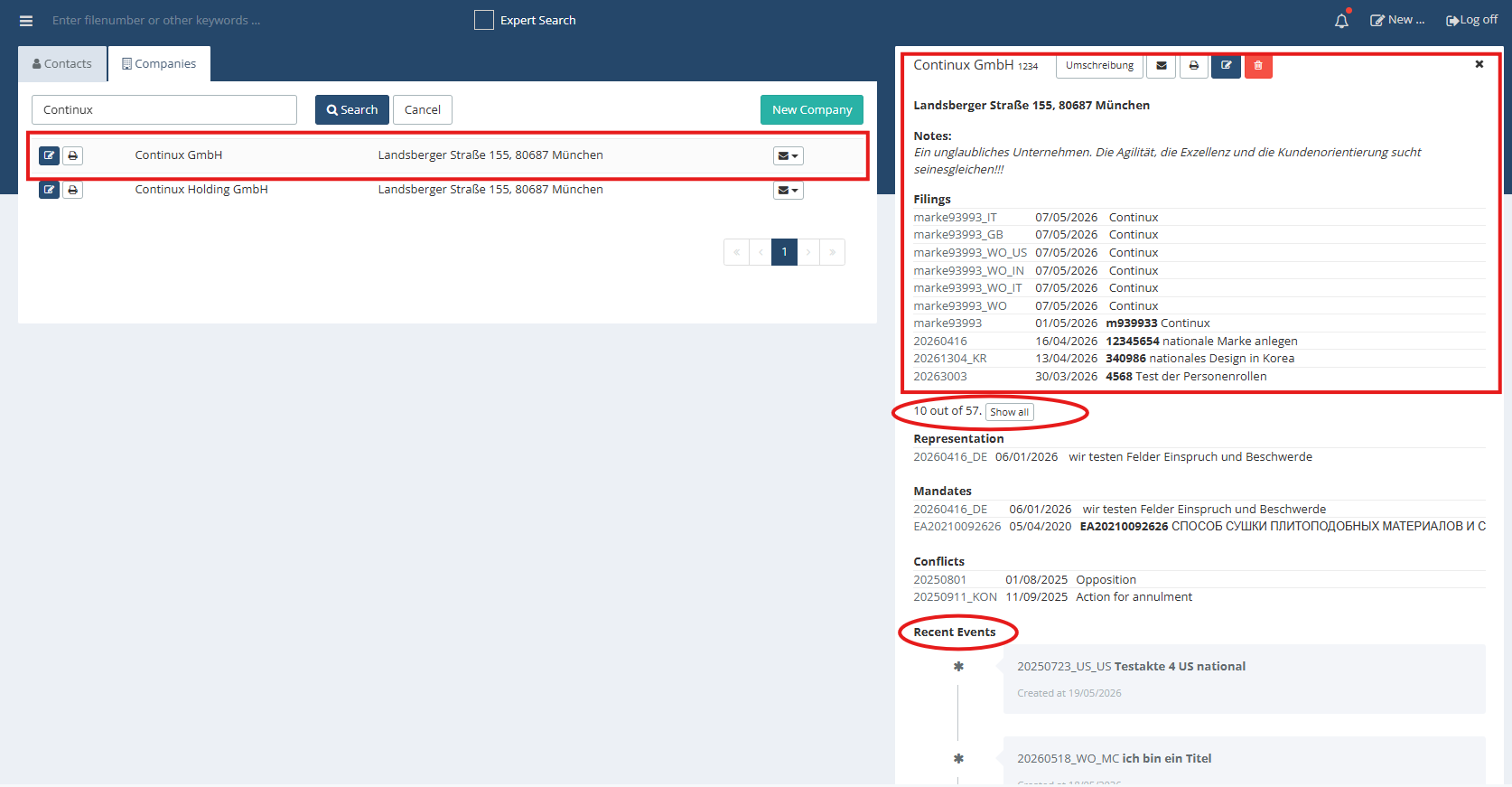 |
| The "show all" button can be used to expand the list of assigned files so that all linked files become visible. At the bottom of the detail view is the "Recent Events" section. This displays current activities related to the company or its assigned files, such as newly created processes or other relevant events. |
| Further Articles and Links with Step-by-Step Guides ➔ Creating a Contact in Continux ➔ Creating a Company in Continux |
War dieser Artikel hilfreich?
Das ist großartig!
Vielen Dank für das Feedback
Leider konnten wir nicht helfen
Vielen Dank für das Feedback
Feedback gesendet
Wir wissen Ihre Bemühungen zu schätzen und werden versuchen, den Artikel zu korrigieren