| This article explains how to add a contact to a file and assign them the inventor role. This assignment is required so that tasks in the "Temrs &Tasks" report can be displayed by inventor using the "Assigned user group" filter. |
| Prerequisite The relevant person (inventor) must be created as a contact in Continux. |
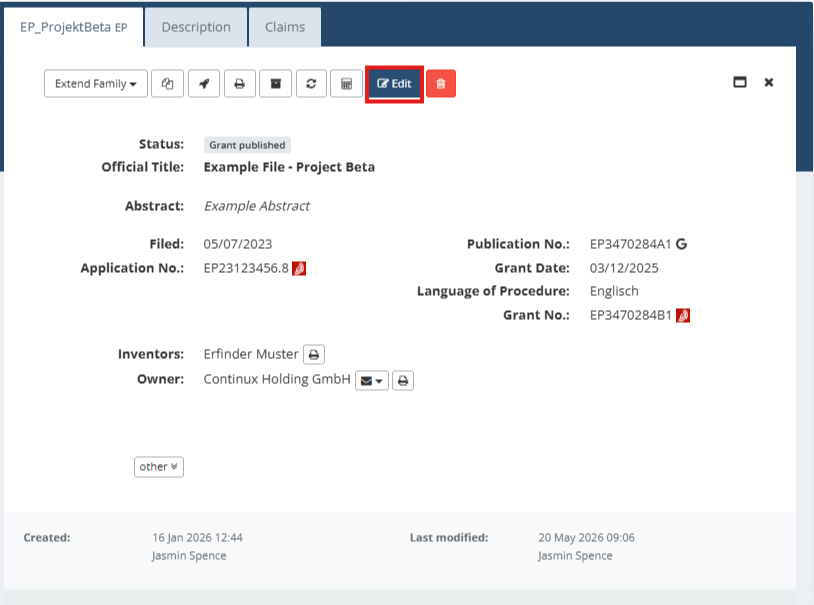
1. Open the file to which you want to assign a contact by clicking Edit |
 |
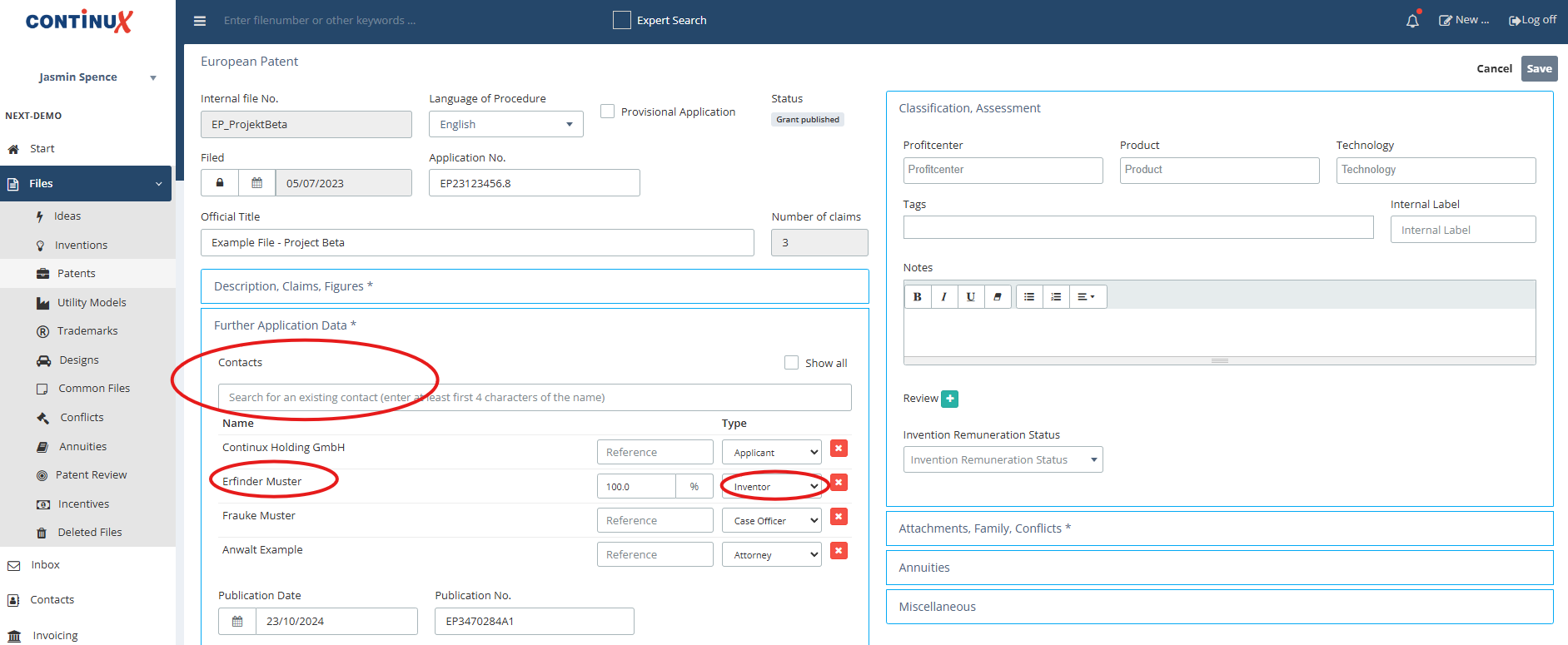
| 2. Switch to the Further Registration Data tab in the file 3. Under the Contacts section you can search for existing contacts and add them 4. Select Inventor as the role from the Type dropdown menu |
 |
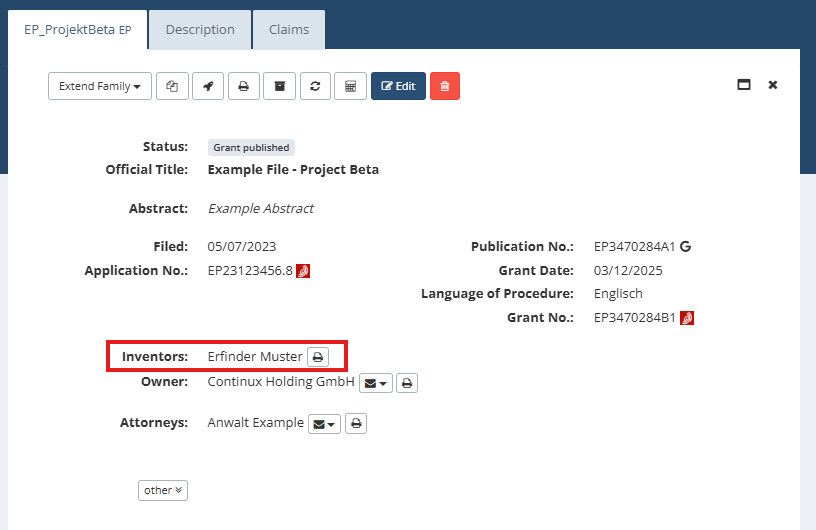
| 5. Click Save to complete the process 6. Click Cancel to return to the file overview 7. In the overview you can see the person assigned as Inventor in the file. |
 |
| Tip: Multiple inventors can be assigned to a file simultaneously and/or assigned different percentage shares of the invention. When multiple inventors are assigned, all of them appear in the file overview. |
| Note This assignment is required so that tasks assigned to the Inventor group can be filtered by inventor in the "Terms & Tasks" report using the "Assigned Group" dropdown. |
Further Articles and Links ➔ Contacts – Creating a Contact in Continux ➔ Report: Terms & Tasks – Using the Filters (coming soon) |
War dieser Artikel hilfreich?
Das ist großartig!
Vielen Dank für das Feedback
Leider konnten wir nicht helfen
Vielen Dank für das Feedback
Feedback gesendet
Wir wissen Ihre Bemühungen zu schätzen und werden versuchen, den Artikel zu korrigieren