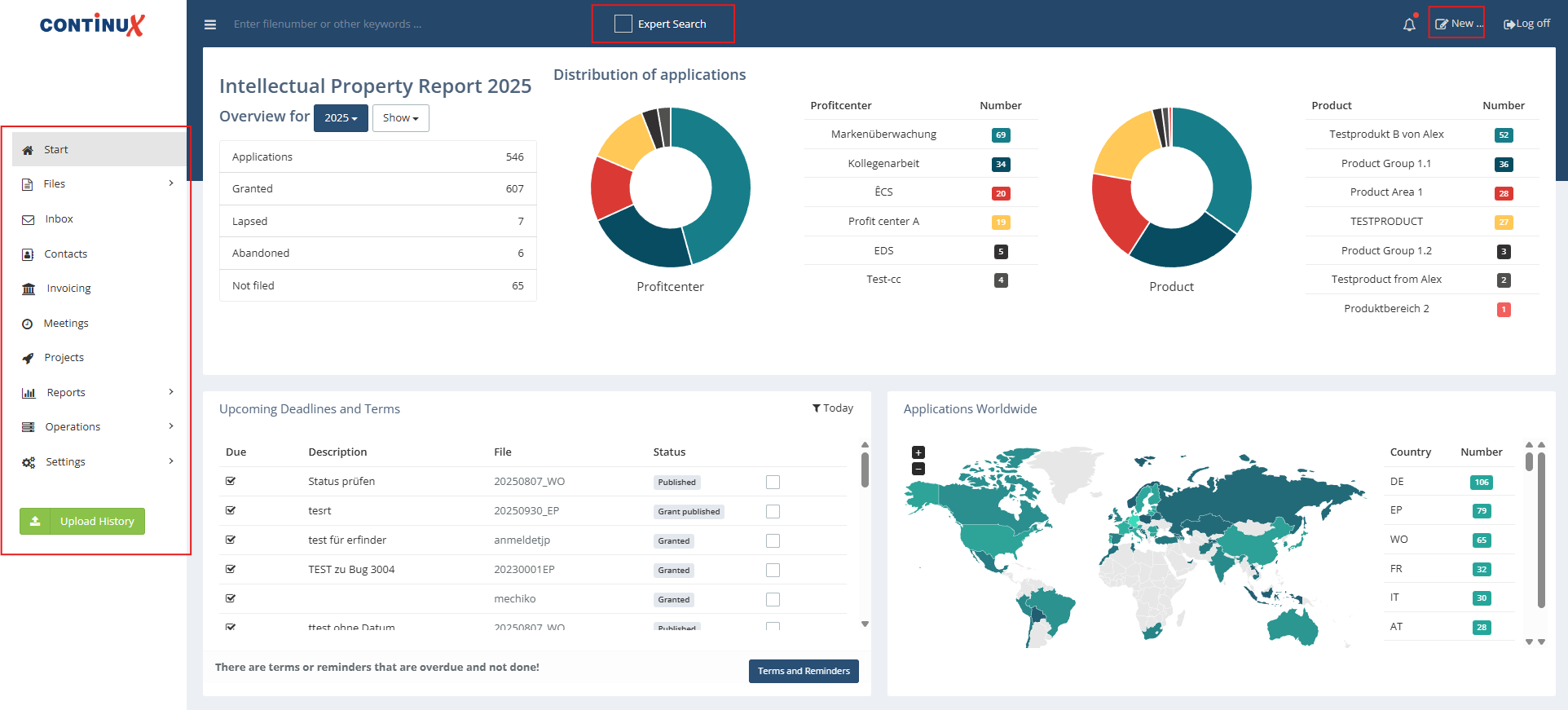
Via the navigation bar on the left-hand side, you can access all key areas of the software with just a few clicks. The most important top-level menu items at a glance:
- Home Your personal overview page with appointments, reminders/tasks, etc. This page can be customized so that you always see the information most important to you (optional, not mandatory).
- Files Management of your IP rights and all related information.
- Contacts Management of contacts and points of contact.
- Invoices Management of invoices, costs, and payment information.
- Reports Creation of analyses and statistics.
- Settings Personalization and configuration of the software.
At the top in the header area, you can either use the full-text search or enable the expert search by ticking the checkbox. This allows you to search specifically for files or other content. For more details, please also refer to the additional articles and article series in Reports, Filters, Serach & More Chapter.
Using the "New" button, you can create a new file or a new record.
Tips for navigation
- Use your browser’s forward/back buttons to quickly switch between the pages you opened most recently.
- By using the right mouse button, you can open any menu item or Continux in a new browser window or tab. This way, two or more views can be displayed at the same time – useful for comparing information or working in parallel.
- If required, you can also customize your home screeso that it is optimally tailored to your daily work.
War dieser Artikel hilfreich?
Das ist großartig!
Vielen Dank für das Feedback
Leider konnten wir nicht helfen
Vielen Dank für das Feedback
Feedback gesendet
Wir wissen Ihre Bemühungen zu schätzen und werden versuchen, den Artikel zu korrigieren