| Cost Categories define the type of cost entry and are available centrally as a dropdown list in Continux. Cost/Expense reason can be added or modified as needed in the settings area. |
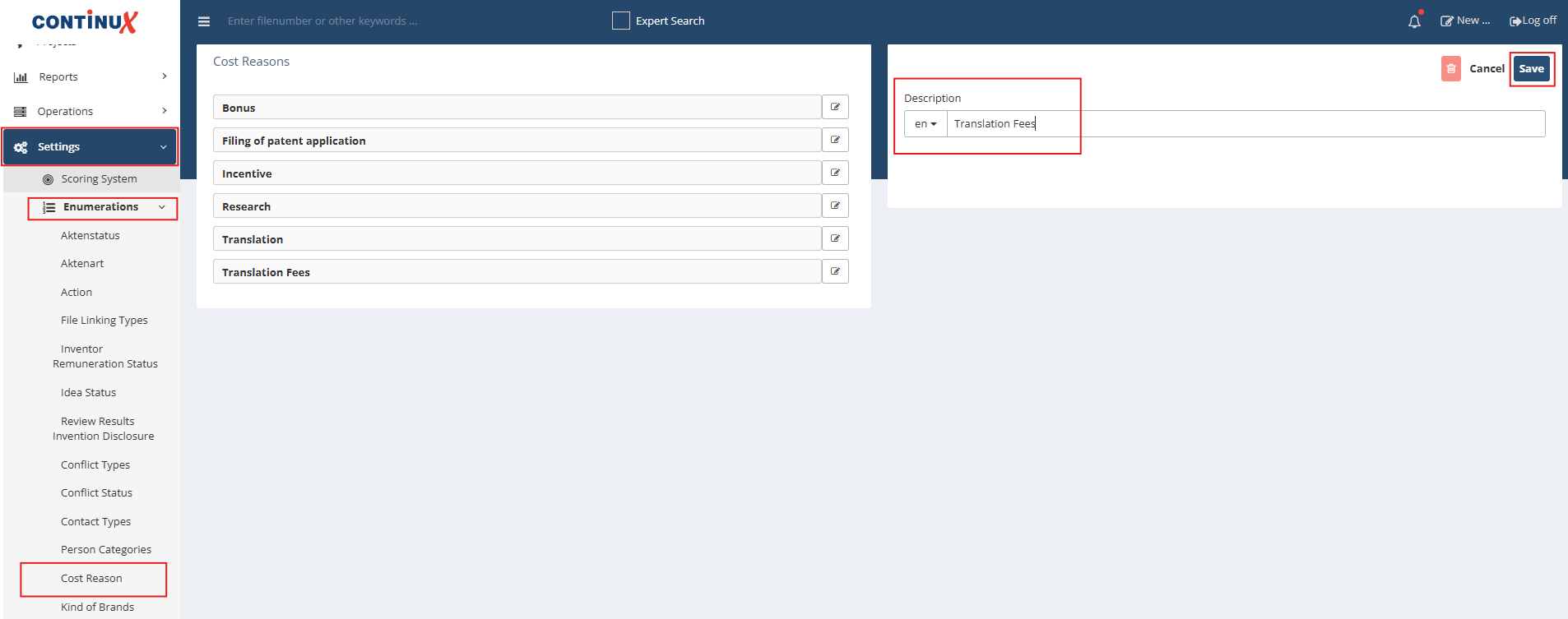
| Here's how to create a cost reason / cost category, step by step: 1. Open the Settings menu from the left main menu. 2. Under Enumeration, select Cost reason. 3. In the list of existing cost categories, edit an entry or add a new one (e.g. "Translation Fees"). 4. Enter the description in the desired language in the right panel. 5. Click Save to confirm. |
 |
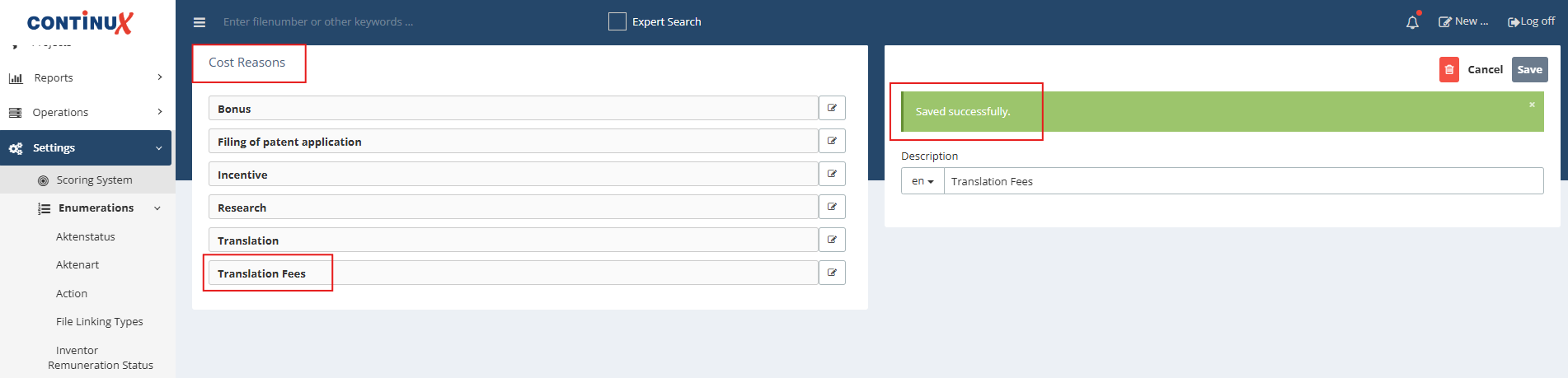
| 6. The new cost category appears in the overview list "Cost Reasons". A green "Saved successfully" bar confirms the successful creation or modification. |
 |
War dieser Artikel hilfreich?
Das ist großartig!
Vielen Dank für das Feedback
Leider konnten wir nicht helfen
Vielen Dank für das Feedback
Feedback gesendet
Wir wissen Ihre Bemühungen zu schätzen und werden versuchen, den Artikel zu korrigieren