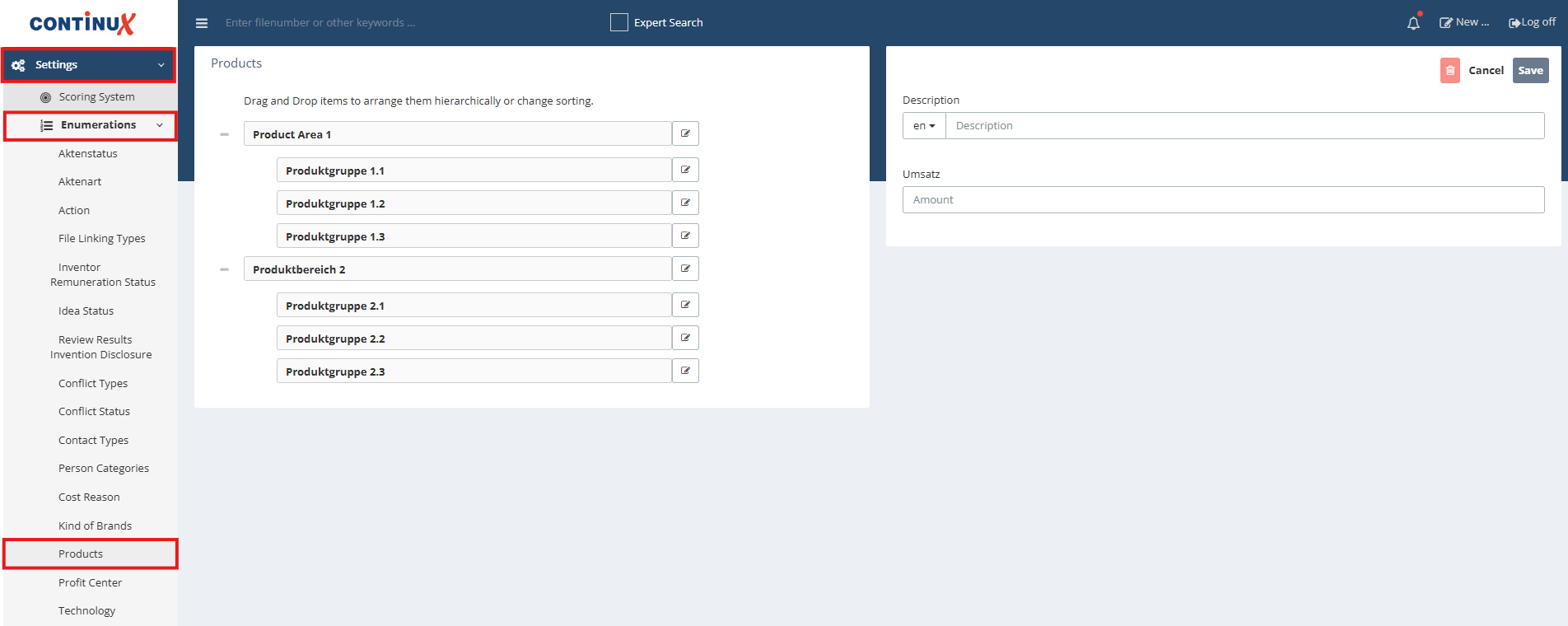
| In Continux, products can be centrally managed via the "Settings" menu and the "Lists" sub-item. Existing entries can be edited, new ones created, and both existing and new entries can be moved and organized using drag-and-drop. Selecting the edit icon changes the respective product name. "Save" applies the changes. | |
 | |
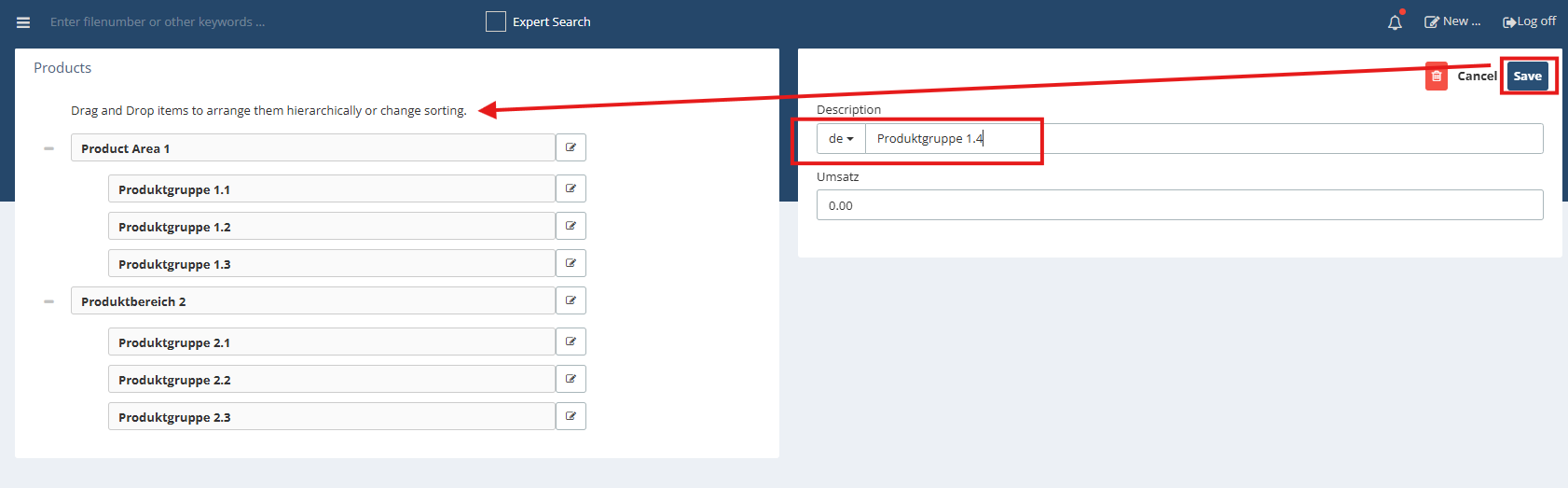
Creating a new product
| |
 | |
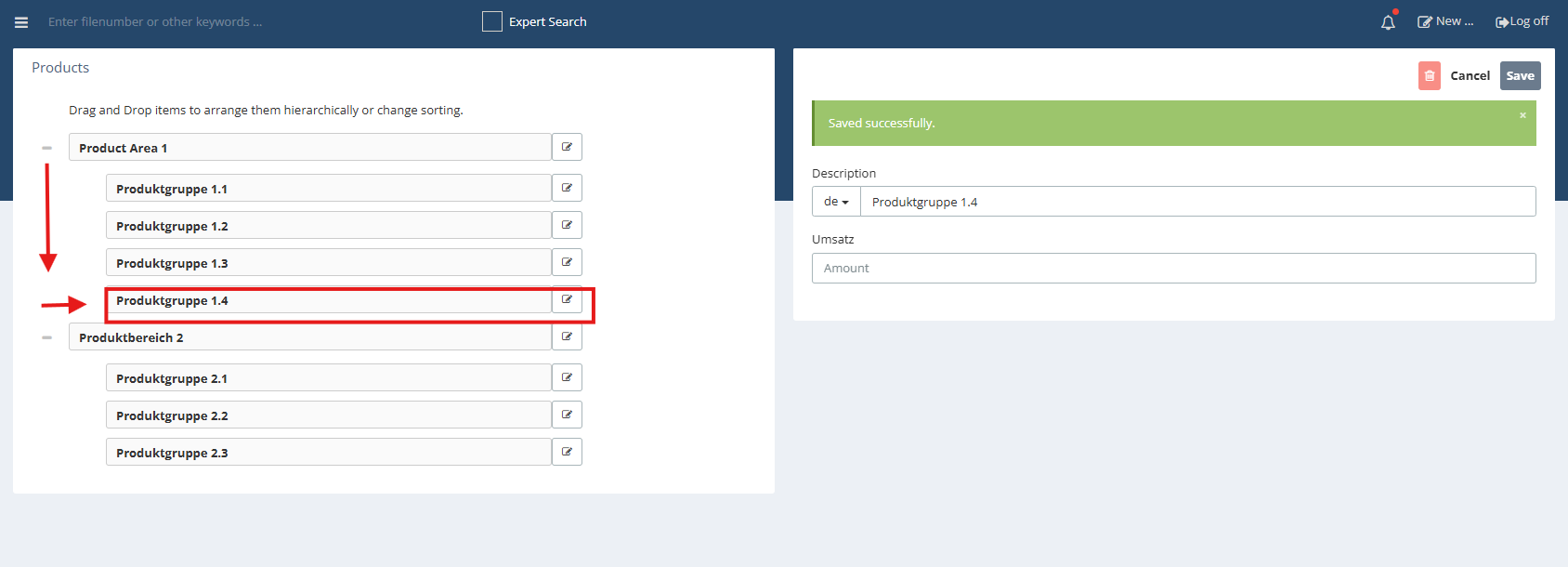
| Changing the position After successful product creation, the new product can be dragged to the desired position among the products using drag-and-drop. | |
 | |
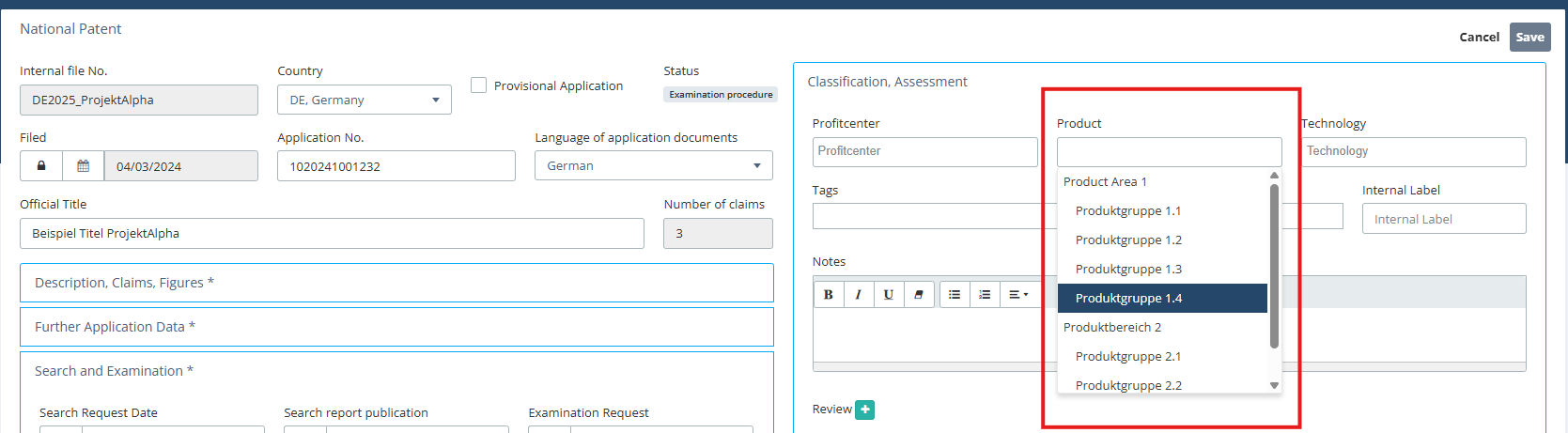
| Application and selection of the new product in an area Changes are immediately effective after saving and available in all relevant areas of Continux. Example: Selection of the new product in the file mask national patent | |
 | |
Possible use cases for products Products can serve as a central filter and evaluation criterion in Continux, enabling precise analyses of relevant data for product(s). The following are some example use cases: Cost evaluations: Via Menu > Reports > Cost overview costs for one or multiple products can be captured in detail. Additional filter criteria, e.g. by time period (01/01/2025 to 12/31/2025) as well as export to Excel format are available. | 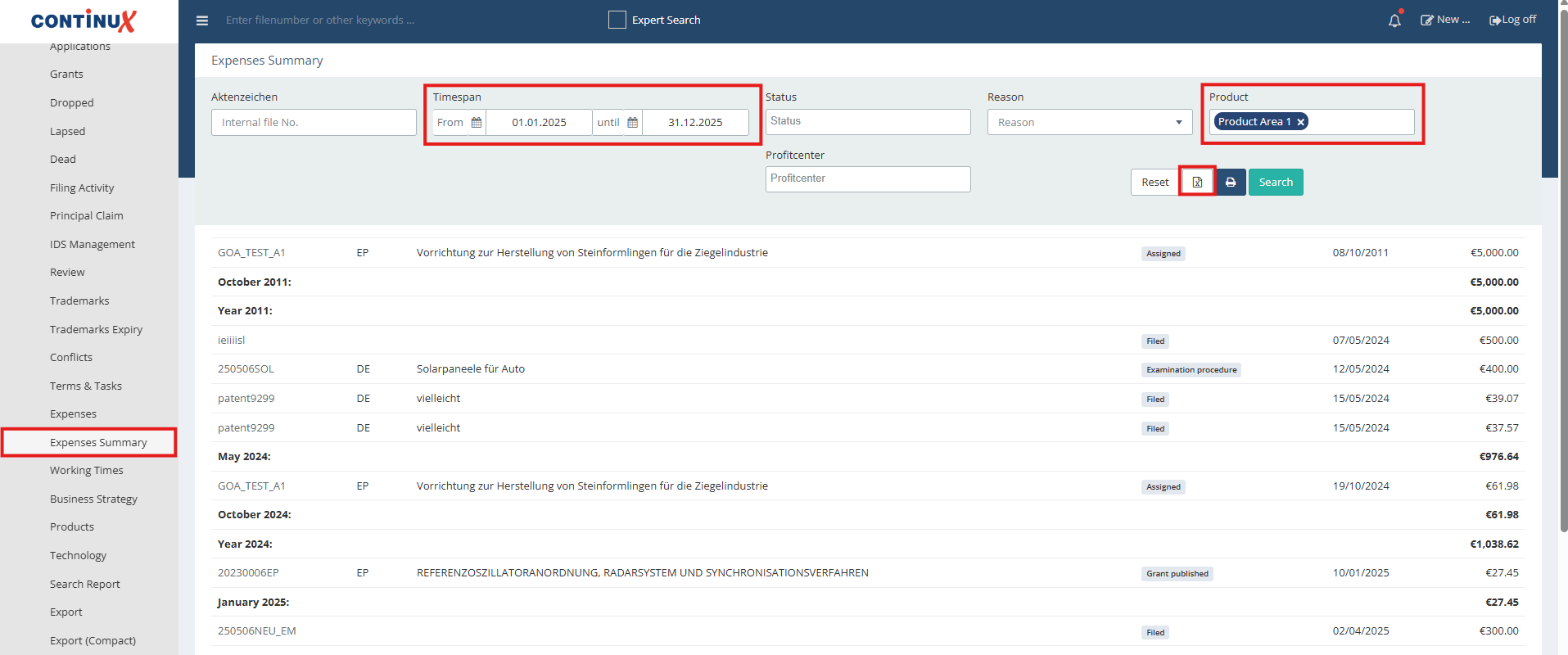 |
| Product-specific file overview: The report under Menu > Reports > Products lists the number and associated files per product in an overview. | 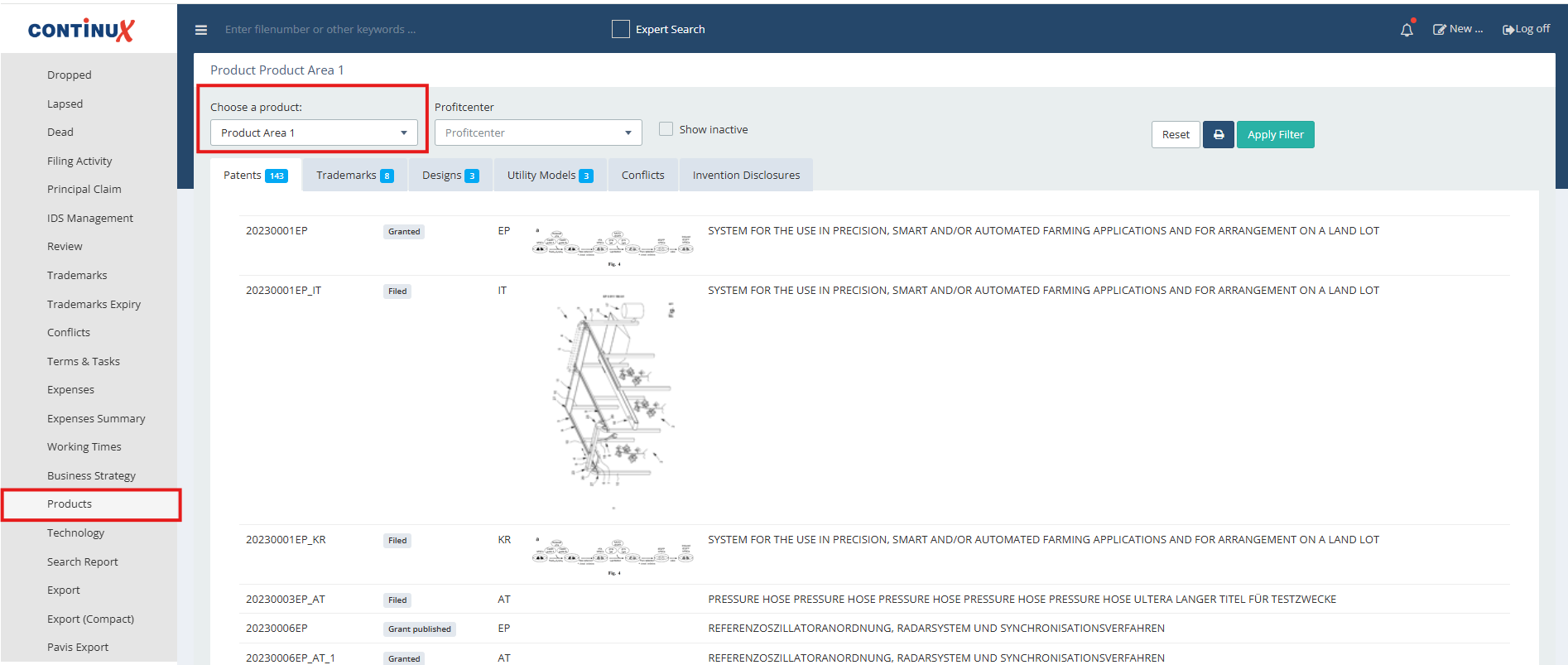 |
Review Report: Via Menu > Reports > Review reviews can be filtered by one or multiple products as well as by time period (e.g. for a specific year). Further filtering via checkboxes specifies whether a review has taken place or not. Example: Review for decision-making on the topic pending registered/granted IP rights to be discussed: maintain or abandon > matching files appear according to the screenshot example and can be included for the next internal review meeting. | 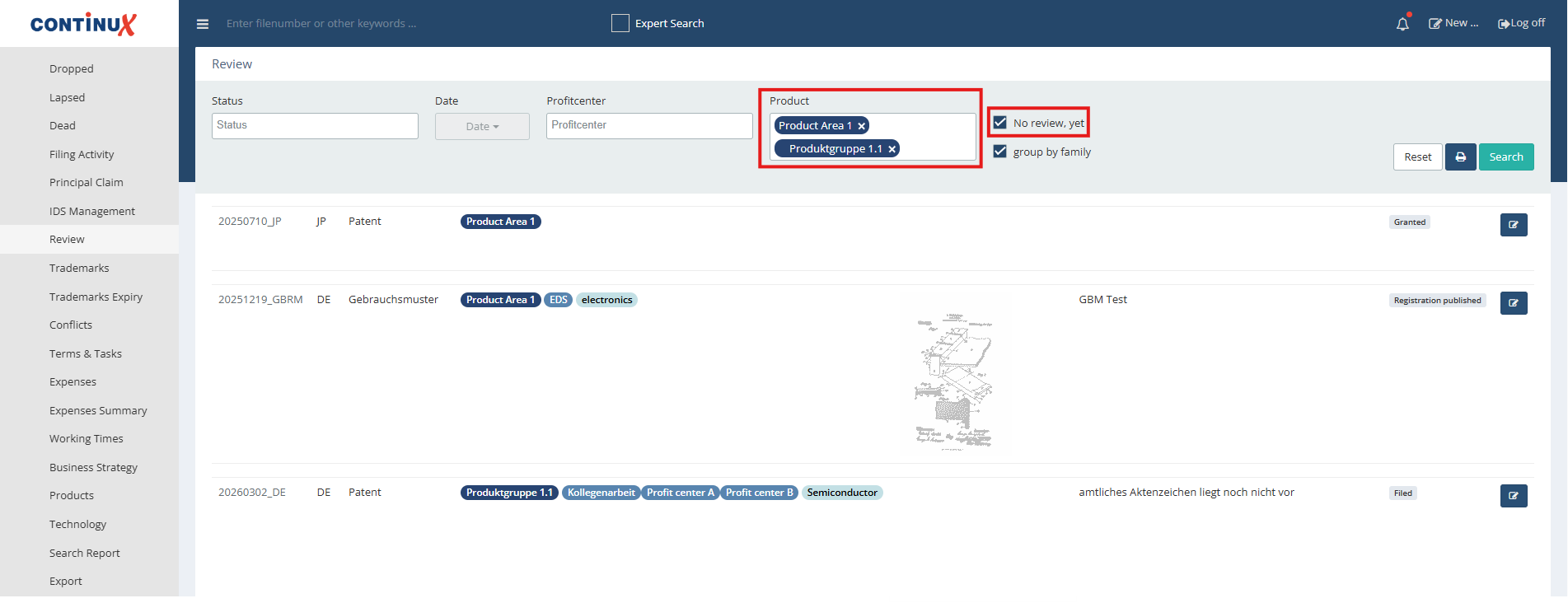 |
War dieser Artikel hilfreich?
Das ist großartig!
Vielen Dank für das Feedback
Leider konnten wir nicht helfen
Vielen Dank für das Feedback
Feedback gesendet
Wir wissen Ihre Bemühungen zu schätzen und werden versuchen, den Artikel zu korrigieren