This article explains how to assign contact roles to persons, add the appropriate "Type", where to create additional persons, and how to extend contact types individually. |
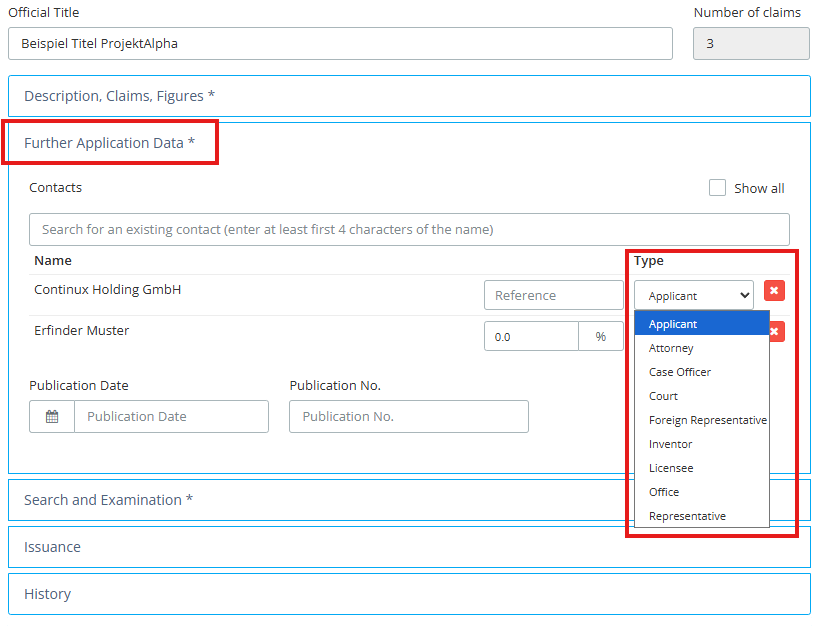
Adding Persons under "Further Application Data"In the "Further Application Data" section, contacts can be searched using the four-character input and assigned the appropriate "Type". However, the drop-down menu only contains a limited selection of person types. |
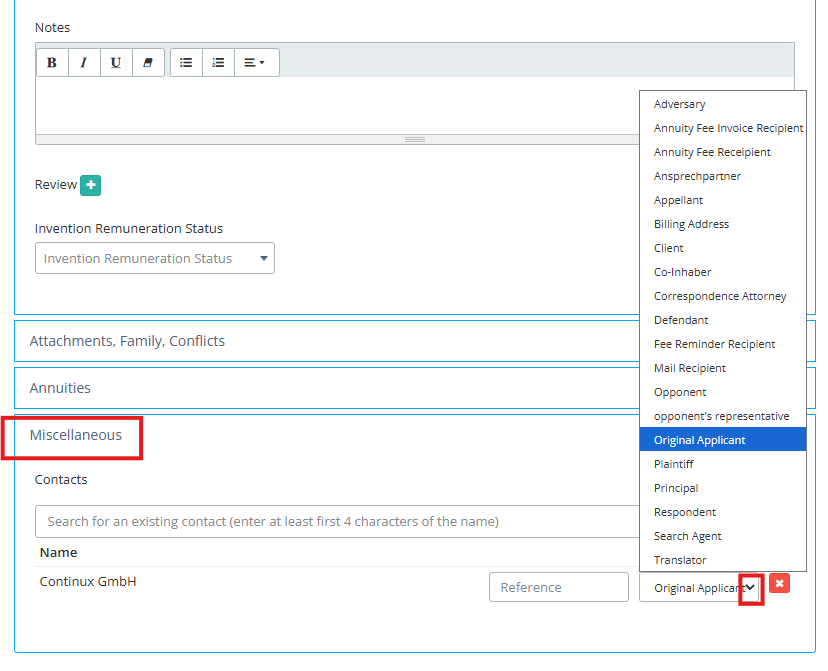
Adding Further Persons under "Miscellaneous"Person types that are not available in the drop-down under "Further Application Data" can be created in the file mask under "Miscellaneous" in the "Persons" section. The full selection of all contact types is available here. |
|
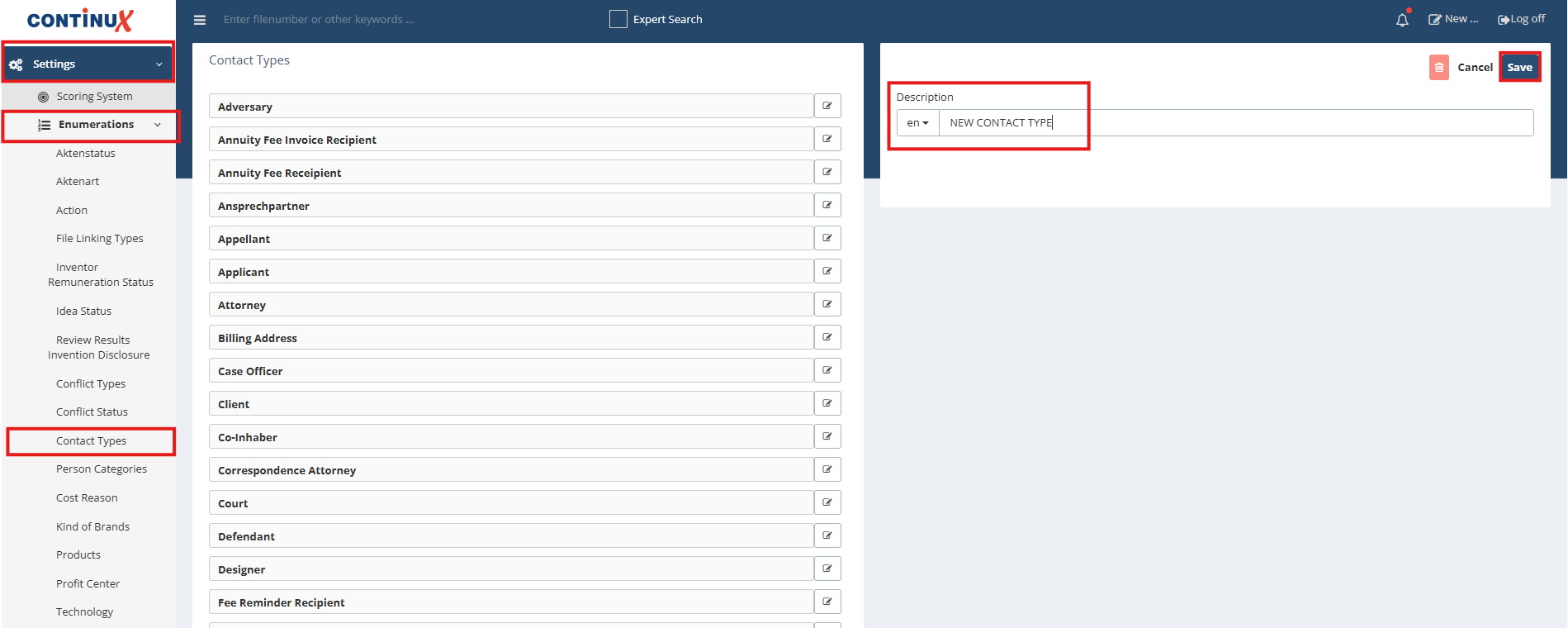
Extending Contact Types IndividuallyThe list of available person types can be customised under Settings ➔ Enumerations ➔ Contact Types. New entries are then available system-wide in the file mask. |
|
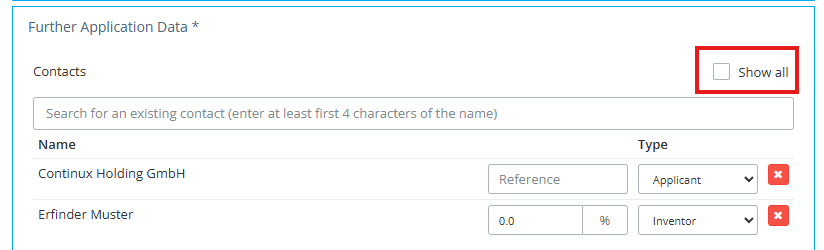
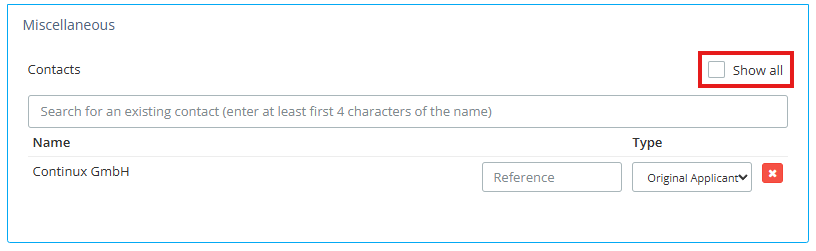
Tip: Showing Hidden ContactsContacts that have already been recorded in the file mask but are currently not visible can be shown again by activating the "show all" checkbox. This function is available both under "Further Application Data" and under "Miscellaneous". |
|
| Note: It may occur that contacts appear twice in the file mask. Contacts that have already been recorded but are currently not visible can be shown again by activating the "show all" checkbox, both under "Further Application Data" and under "Miscellaneous". Duplicate persons can be deleted and will then no longer appear multiple times in the overview. |
| Further Articles ➔ Contacts in Continux - an overview ➔ What is Contact Type vs Person Category in Continux? |
War dieser Artikel hilfreich?
Das ist großartig!
Vielen Dank für das Feedback
Leider konnten wir nicht helfen
Vielen Dank für das Feedback
Feedback gesendet
Wir wissen Ihre Bemühungen zu schätzen und werden versuchen, den Artikel zu korrigieren