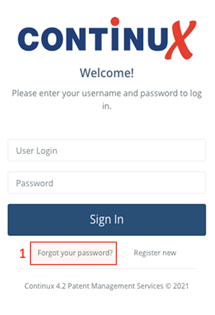
Your new Continux version is now available. To get started, you must first set a password: 1. Open your browser and access the link you received from us by email. 2. On the login page, click "Forgot your password?" (1) |
 |
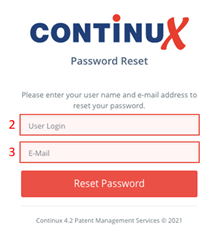
3. The dialog will now update.
4. Then click "Reset Password". |
 |
5. You will now receive a registration email. |
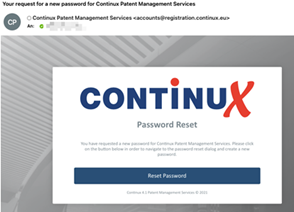 |
6. Follow the instructions in the registration email and set a secure password. |
7. After completing the process, you can log in to Continux with your login details and new password. |
War dieser Artikel hilfreich?
Das ist großartig!
Vielen Dank für das Feedback
Leider konnten wir nicht helfen
Vielen Dank für das Feedback
Feedback gesendet
Wir wissen Ihre Bemühungen zu schätzen und werden versuchen, den Artikel zu korrigieren