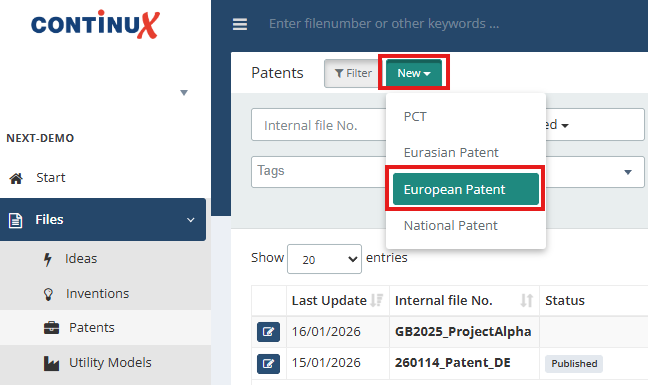
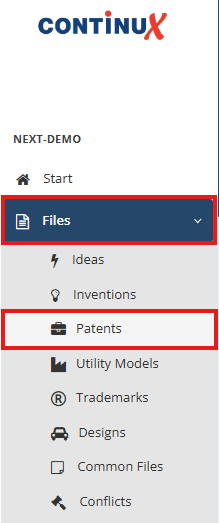
Creating a European patent file follows the same basic steps as described in the article “Creating a new file in Continux”. This article adds the specific input fields that are relevant for European patent files. Create a new “European patent” file 1. In the main menu on the left, go to “Files” → “Patents”. | |
| |
2. Click the green “New” button. | |
 | |
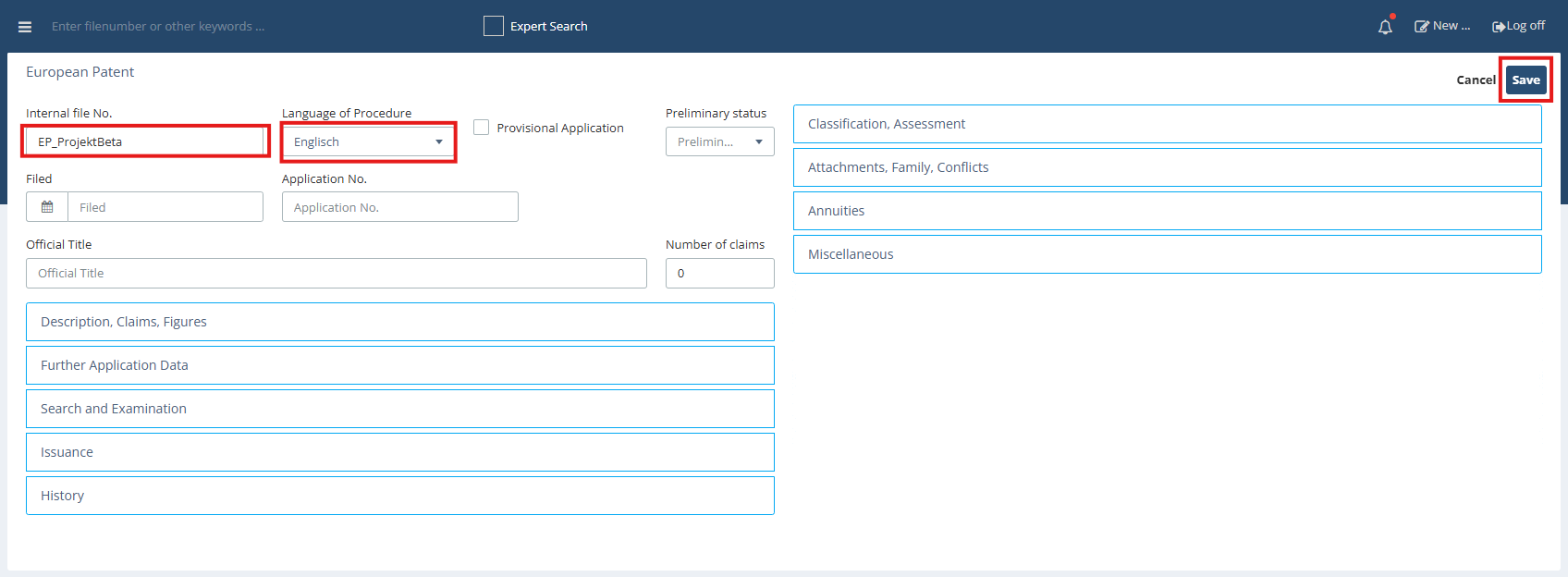
4. The “European Patent” entry form opens. 7. Click “Save” to create the new file. | |
 | |
Important note After saving for the first time, the internal file number can be changed only once. If the option “Yes, I wan to edit this record” is not used, the file reference cannot be edited later. Typing error and no option to change it? ➔ How to: Delete file. | 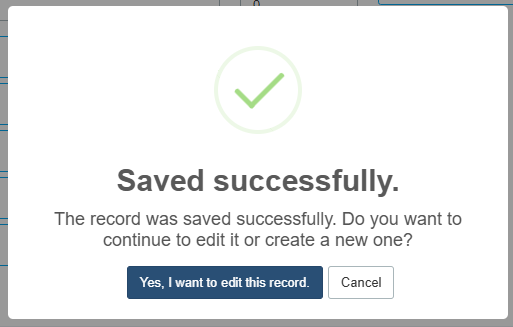 |
Required field: Internal file number
| |
Additional fields for European patents The fields follow the typical EP procedure – from filing through publication, search and examination to grant and portfolio management. When you first create the file, it is sufficient to complete the required fields. Additional information, such as publication data or examination reports, can be added at any time once it becomes available. European patent granted? To learn how to create files for a unitary patent or for the classic EP validation states, see the related articles below.
| |
| Related articles ➔ Creating a new file in Continux – an overview ➔ Deleting and restoring files in Continux | |
War dieser Artikel hilfreich?
Das ist großartig!
Vielen Dank für das Feedback
Leider konnten wir nicht helfen
Vielen Dank für das Feedback
Feedback gesendet
Wir wissen Ihre Bemühungen zu schätzen und werden versuchen, den Artikel zu korrigieren