Once a European patent has been granted, you can create an EP validation file for each country in which protection is required. These files represent the classic national validation countries of a European patent and are created directly from the main EP file.
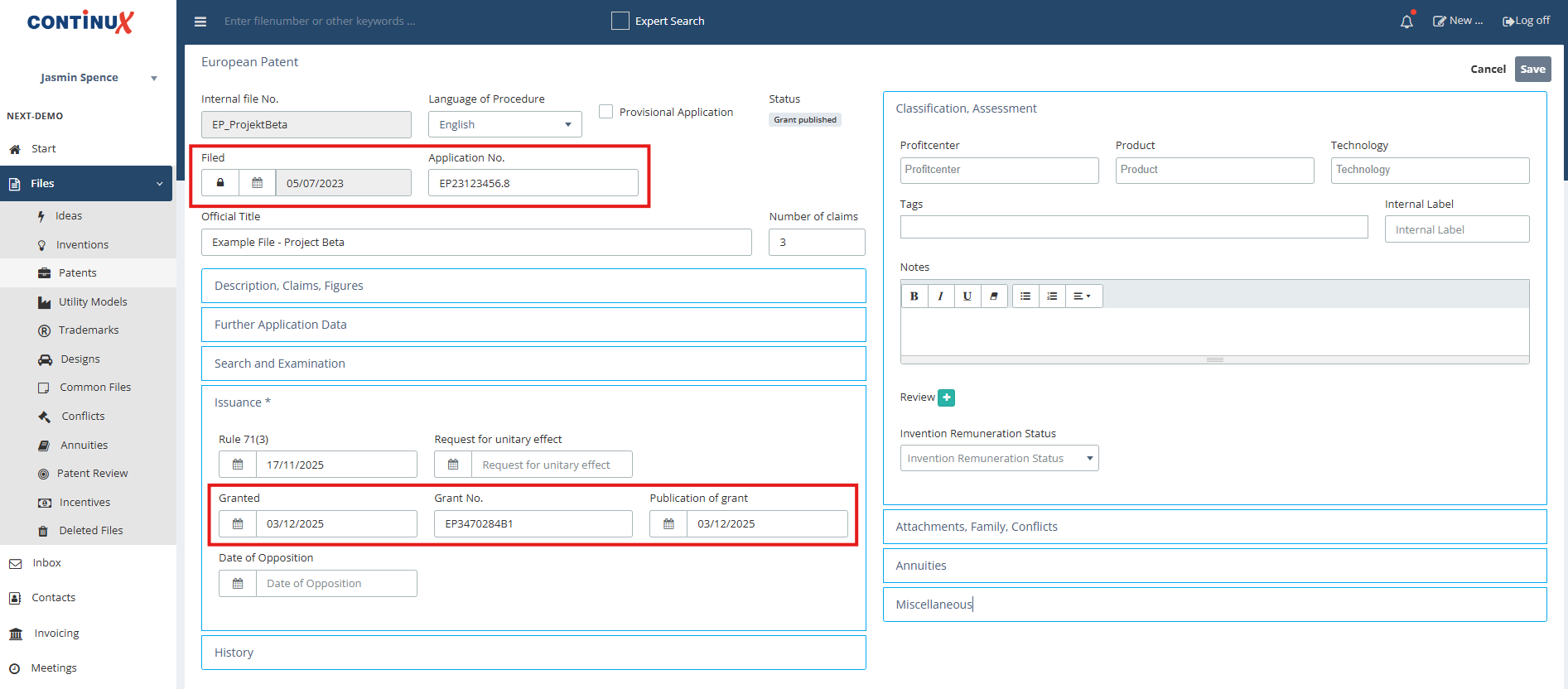
| Prerequisites in the European patent file Before creating the EP validation file(s), make sure that:
Why is this important? When you create validation files, all relevant bibliographic data is automatically copied from the EP file. The same data also provides the basis for automatically calculated deadlines, for example for annuities. |
 |
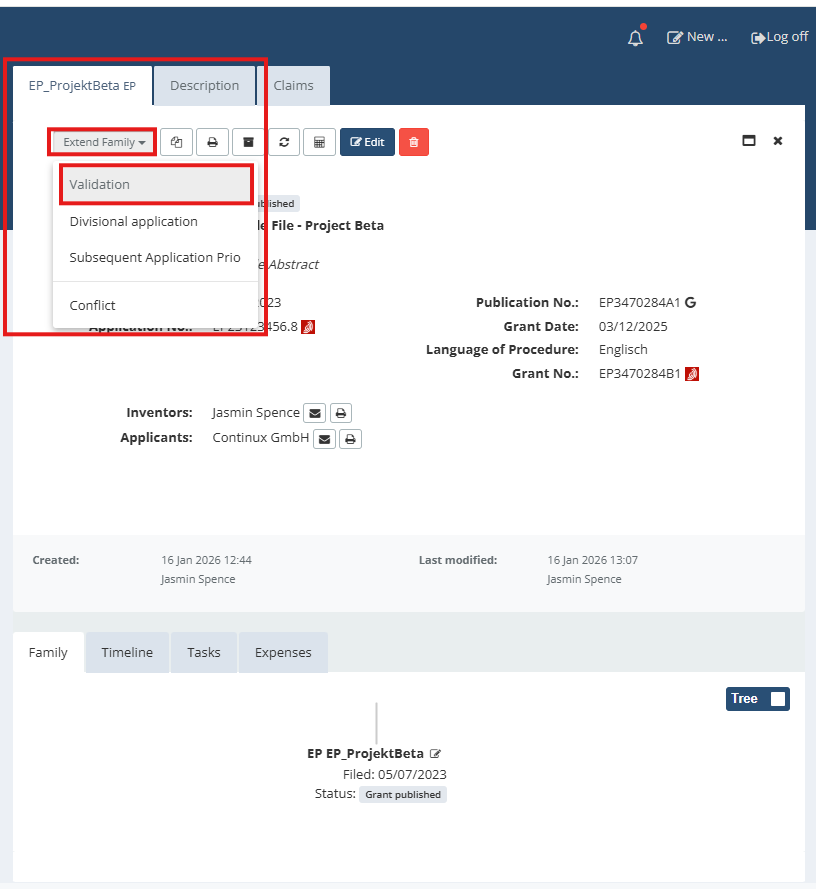
The step-by-step guide to creating EP validation file(s) is as follows: 1. In Continux, open the granted EP file. 2. In the top right corner, click the “Extend Family” dropdown menu. 3. In the menu, select “Validation”. |
 |
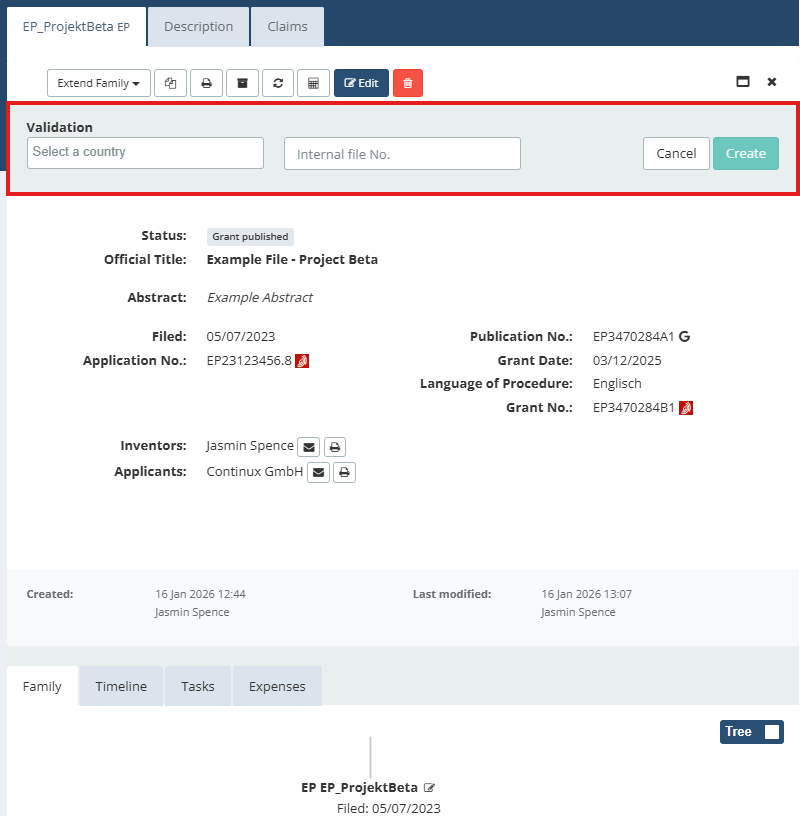
| 4. The “Validation” input section opens so you can create the validation files. |
 |
5. Enter the desired countries.
Example (default): EP_ProjectBeta_CH (Switzerland), EP_ProjectBeta_GB (United Kingdom) 6. (optional) Use custom file references Alternatively, you can enter your own file references in the “Internal File No.” field. With this optional manual reference entry, only one country file can be created at a time. |
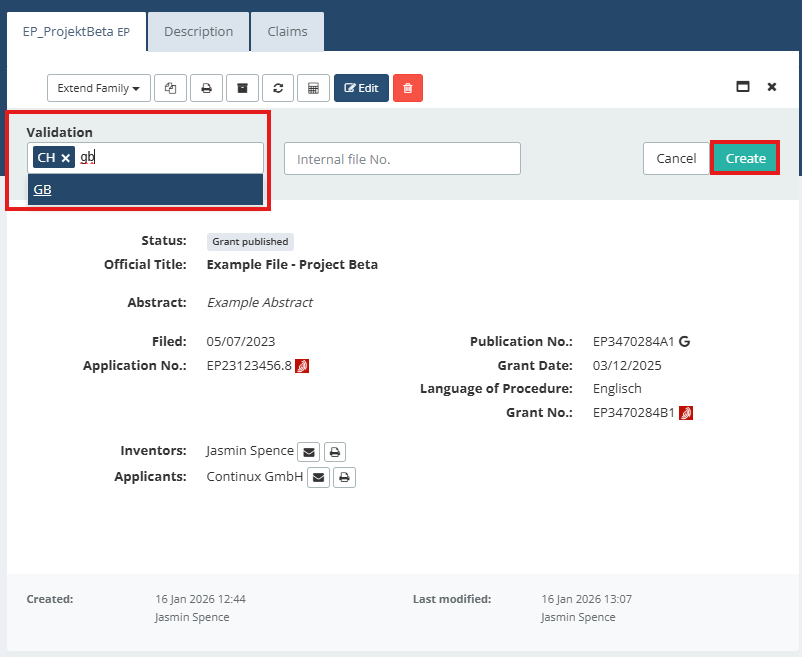 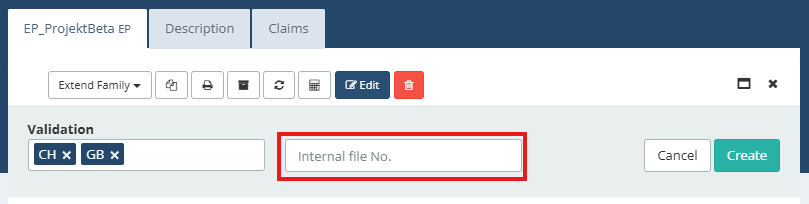 |
| 7. Click the green “Create” button to generate the validation files. 8. The system now automatically creates a separate EP validation file for each selected country. The green bar confirms that the validation files have been created successfully. |
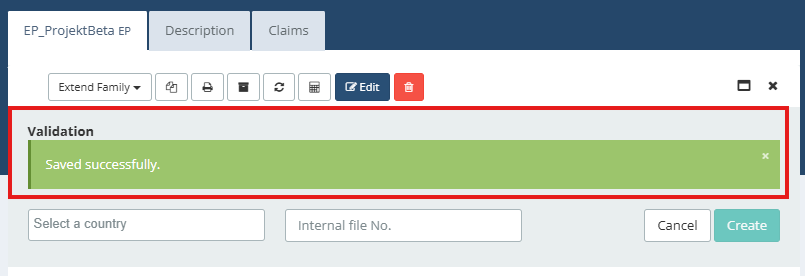 |
| 9. After creation, the new files automatically appear in the family tree of the original EP file. |
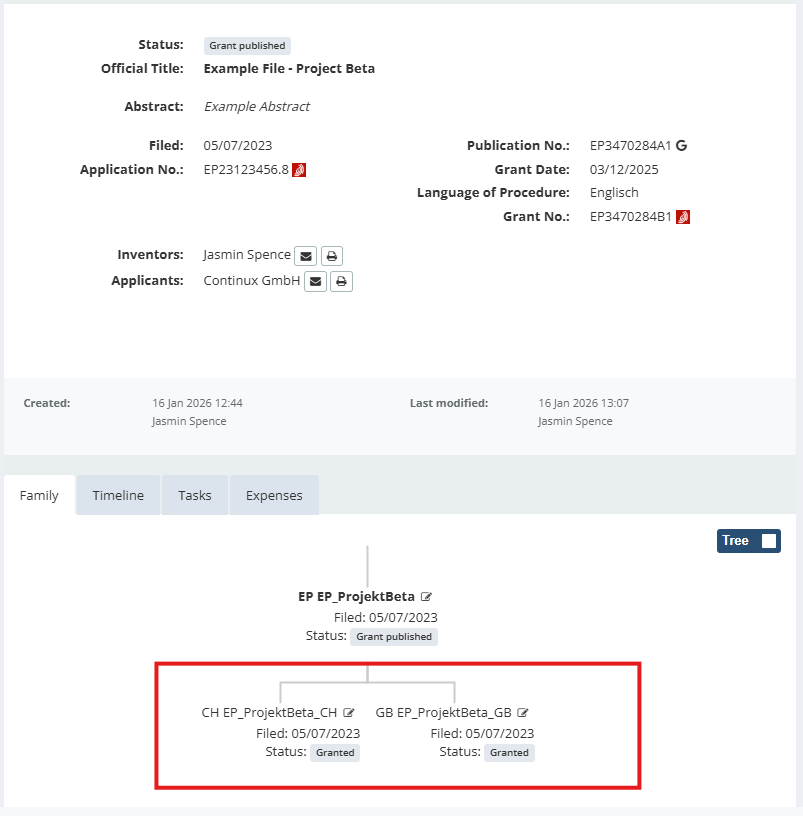 |
Additional fields, data transfer and deadlines
|
| Helpful tips Accidentally used optional step 6? Typo in the file reference? Or do you want to create a unitary patent file instead? See: ➔ Deleting and restoring files in Continux ➔ Unitary patent instead of classic EP validation? |
War dieser Artikel hilfreich?
Das ist großartig!
Vielen Dank für das Feedback
Leider konnten wir nicht helfen
Vielen Dank für das Feedback
Feedback gesendet
Wir wissen Ihre Bemühungen zu schätzen und werden versuchen, den Artikel zu korrigieren