Once a European patent has been granted, a unitary patent file (UP) can be created via workflow directly from the EP patent file. All relevant data is taken over from the EP file.
| Prerequisites in the European patent file Before you create the unitary patent file, make sure that:
Why is this important?
Additional note (not required to create the file): once the unitary patent has been registered, the date is to be entered into the dedicated “Registration of unitary protection” field in the EP file. |
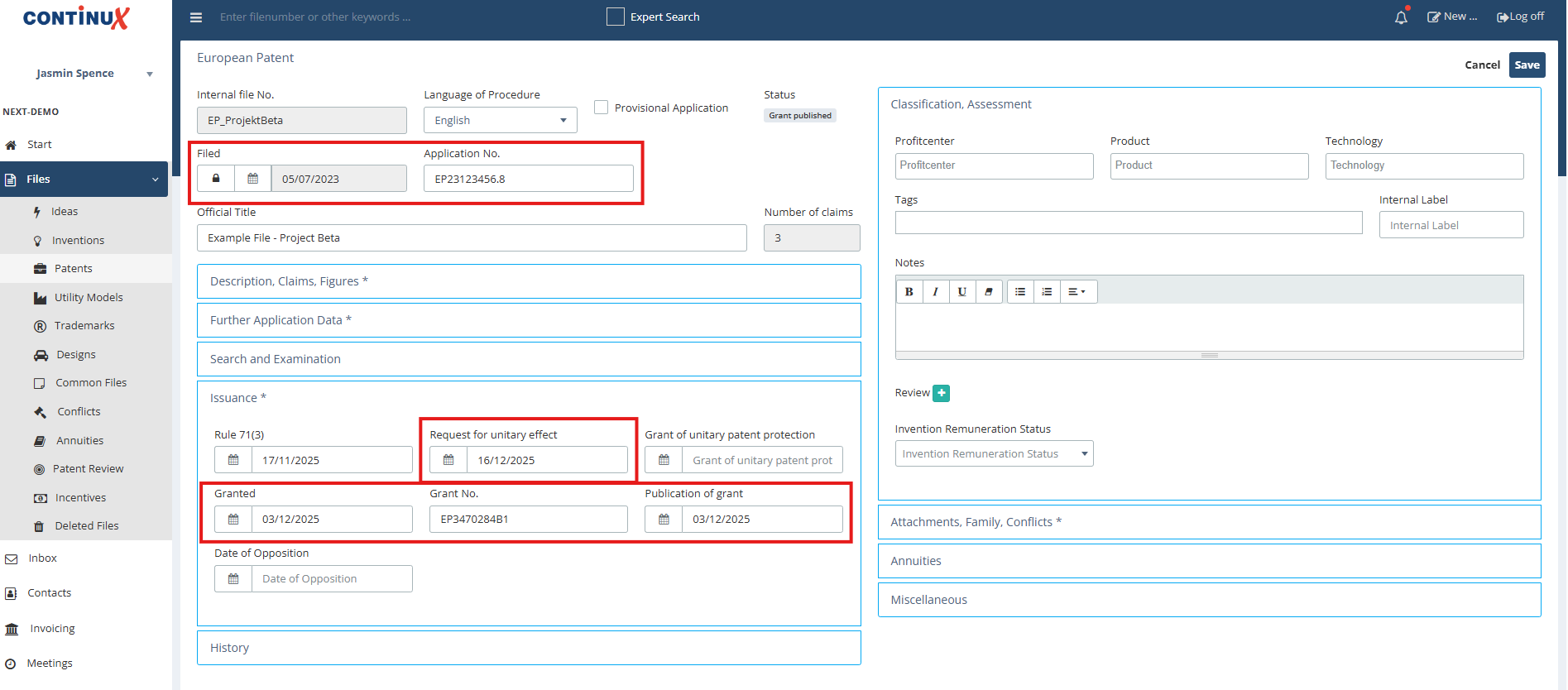 |
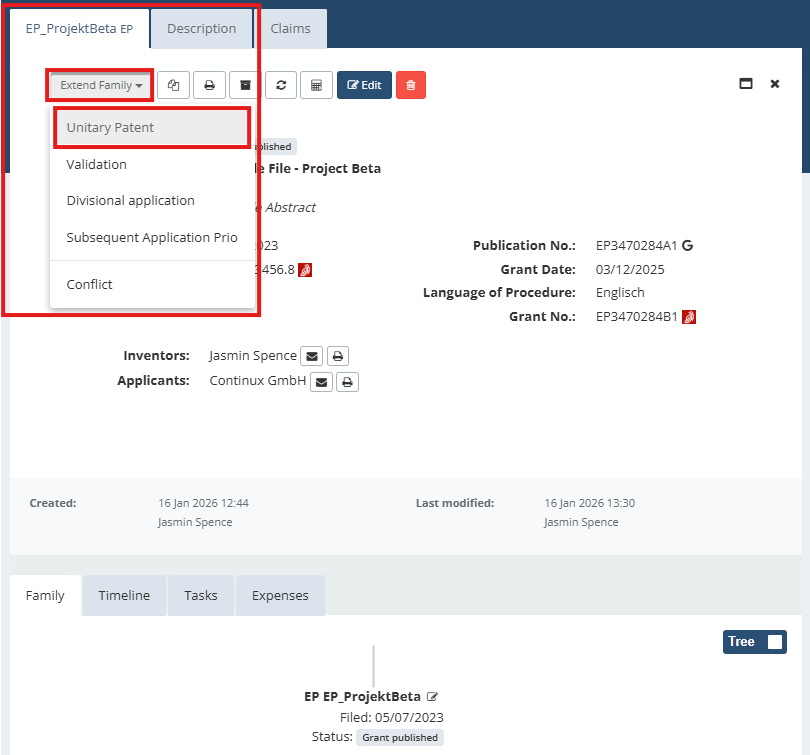
Step-by-step guide to creating a unitary patent file: 1. In Continux, open the granted EP file. 2. In the top right corner, click the “Extend Family” dropdown menu. 3. In the menu, select “Unitary Patent”. |
 |
| 4. The “Unitary Patent” input section opens so you can create the unitary patent file. |
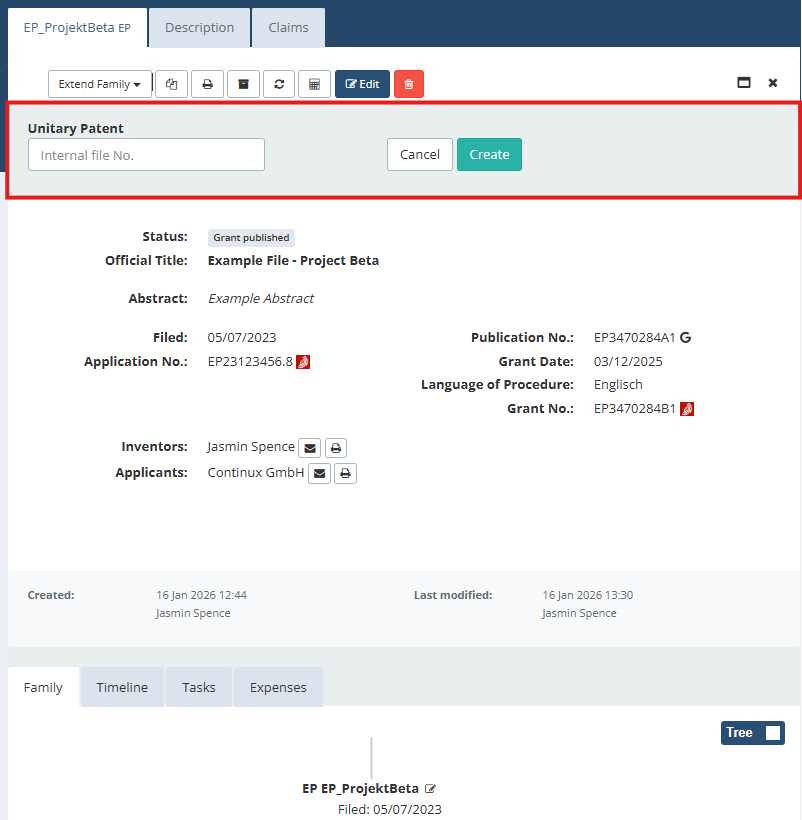 |
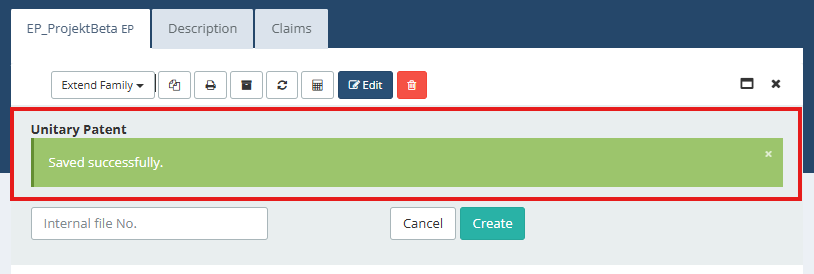
| 5. (Default) If you do not enter a manual file reference, the country code UP is appended automatically to the EP file reference. For the member state files, the respective country codes are appended in the same way. Example (default): EP_ProjektBeta_UP (unitary patent), EP_ProjektBeta_UP_DE (Germany from the unitary patent) 6. (optional) Use custom file references Alternatively, you can enter your own file references in the “Internal file No." field. With this optional manual reference entry, the country code of each member state is appended to the custom file reference.7. Click the green “Create” button to generate the unitary patent file. 8. The system now automatically creates a separate EP unitary patent file including the related member state files for each selected country. The green bar confirms that the files have been created successfully. |
 |
| 9. After creation, the new files automatically appear in the family tree of the original EP file. [only part of the unitary patent family tree is visible here; the full width cannot be displayed] |
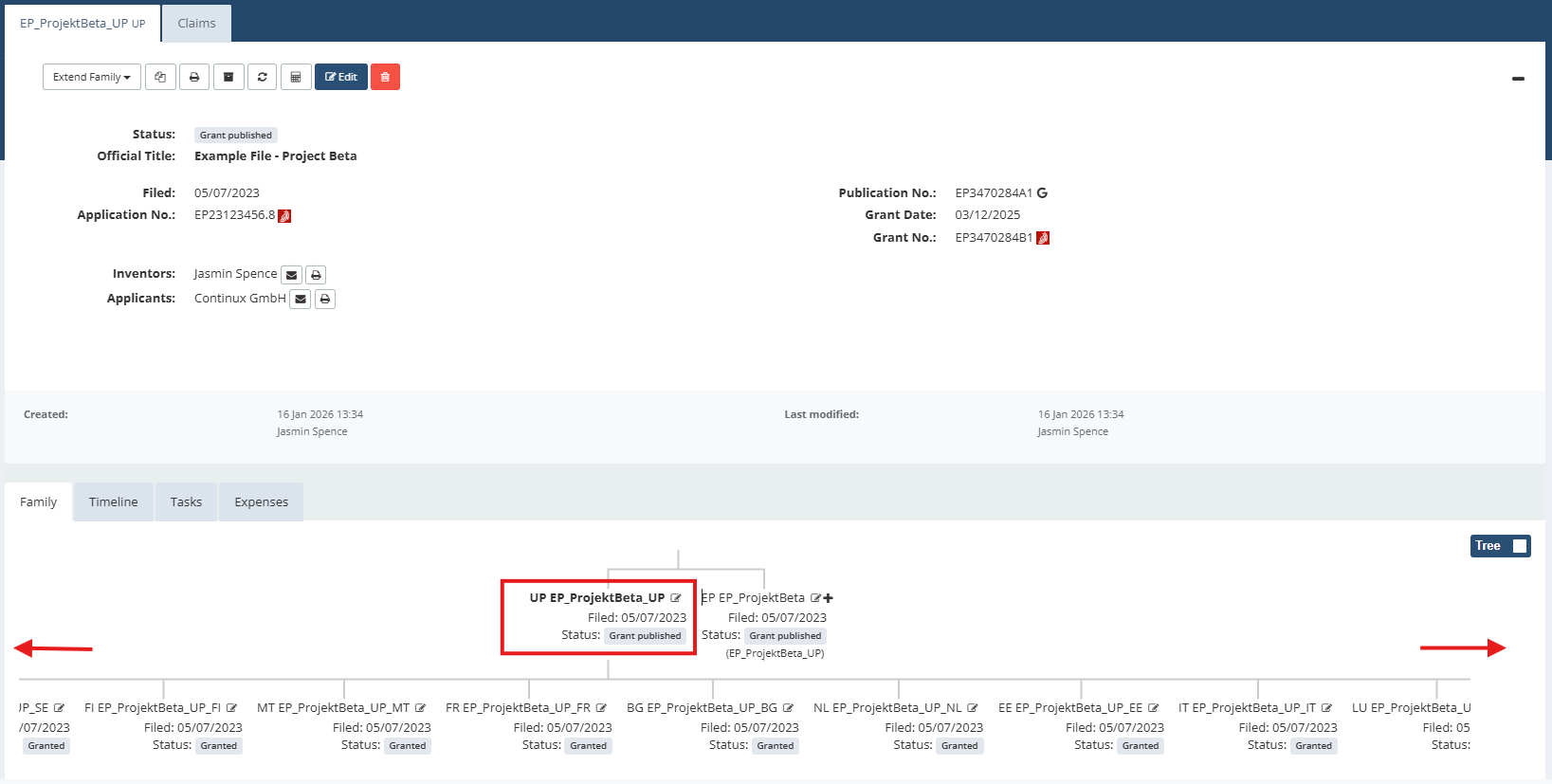 |
All relevant data, such as filing and grant dates, title, inventors, applicants and inventors, has been copied automatically from the EP file. |
| Helpful Tips Accidentally used optional step 6? Typo in the file reference? Or do you want to create classic EP validation files instead? Find solutions: ➔ Deleting and restoring files in Continux ➔ Classic EP validation instead of a unitary patent? |
War dieser Artikel hilfreich?
Das ist großartig!
Vielen Dank für das Feedback
Leider konnten wir nicht helfen
Vielen Dank für das Feedback
Feedback gesendet
Wir wissen Ihre Bemühungen zu schätzen und werden versuchen, den Artikel zu korrigieren