This step-by-step guide explains how to change your personal details in your profile:
|
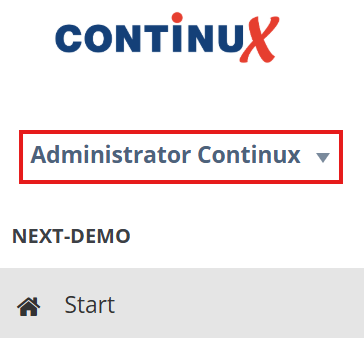 |
2. A dropdown menu opens.
3. In the dropdown menu, select “Profile”. 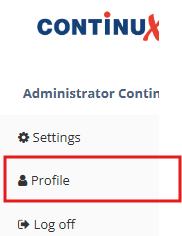
4. In the “Profile” section, you can now edit the fields “First name”, “Last name” and “Email”.
5. After making your changes, click the blue “Save” button in the top right corner to apply your changes.

War dieser Artikel hilfreich?
Das ist großartig!
Vielen Dank für das Feedback
Leider konnten wir nicht helfen
Vielen Dank für das Feedback
Feedback gesendet
Wir wissen Ihre Bemühungen zu schätzen und werden versuchen, den Artikel zu korrigieren