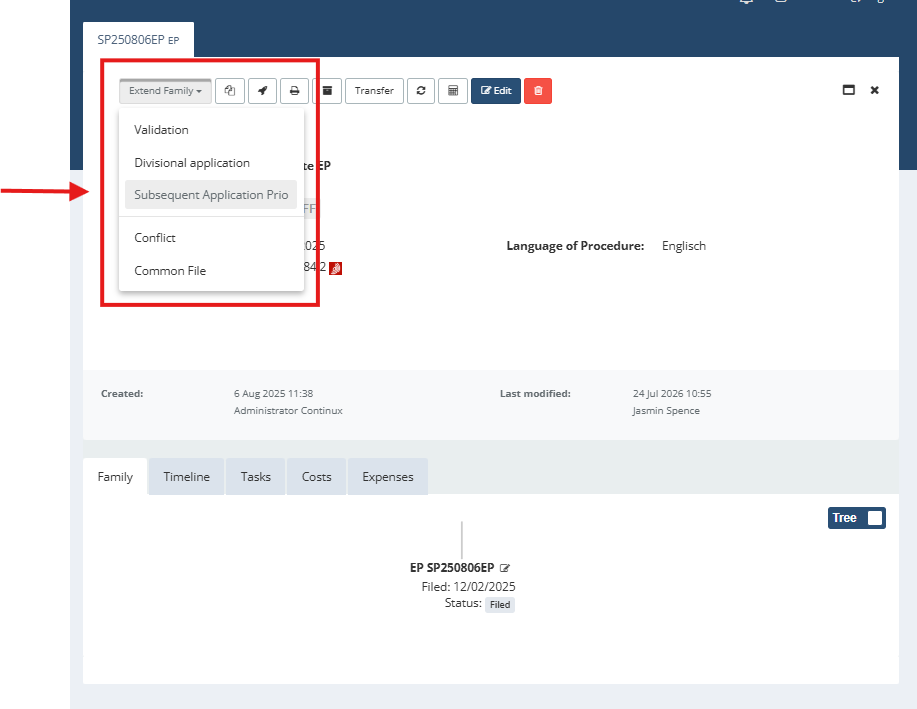
In Continux, a subsequent application claiming priority can be created directly via the family extension function in the file overview. This automatically creates a new file, which is linked to the original application as the priority-establishing file. This process allows the system to take over the family file number and automatically calculate the priority deadline. The following guide shows, step by step, how to trigger this workflow and what to bear in mind. Here’s how it’s done: 1. Open the desired file from which a subsequent application claiming priority is to be created. 2. In the file overview, click “Extend Family” in the top right and select “Subsequent Application Prio” from the drop-down menu. | |
| |
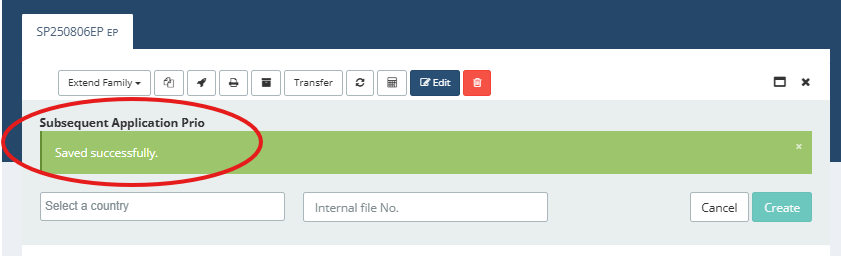
| 3. Next, select the desired country in which the subsequent application is to be filed. 4. Leave the “File Number” field empty if the system is to automatically assign the family file number using the country code of the selected country. Alternatively, you can assign your own file number. | |
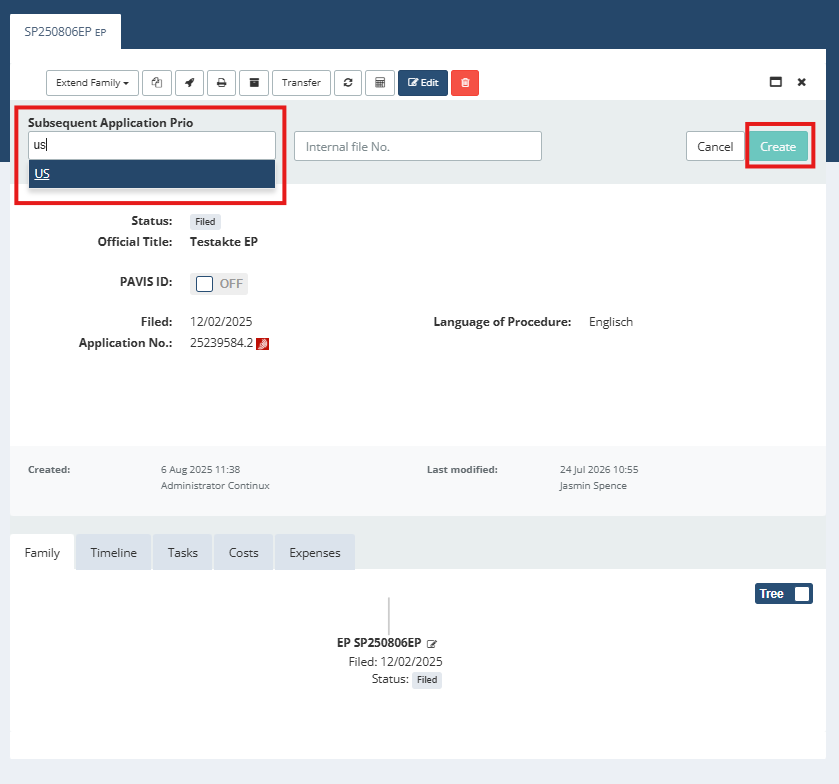 | |
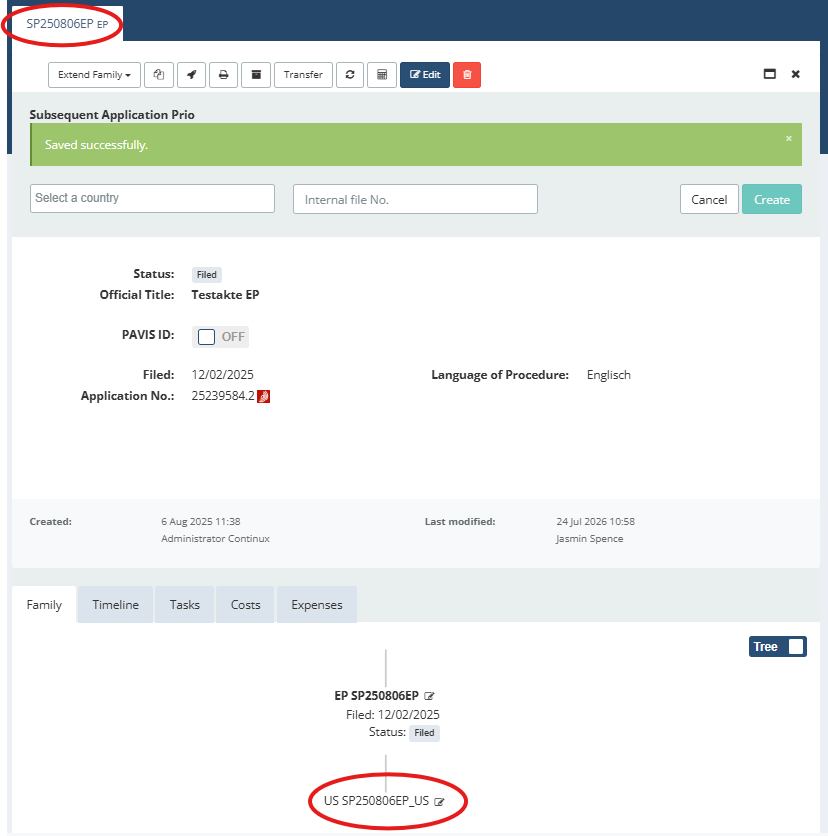
Optional: You can select several countries at the same time to create multiple subsequent applications in parallel. 5. Click the green “Create” button in the top right to complete the process. Once successfully created, the confirmation message “Successfully saved” appears below the “Subsequent Application Prio” section. | |
| |
| 6. Now open the source file again – the newly created subsequent application claiming priority is automatically displayed in the file family. | |
 | |
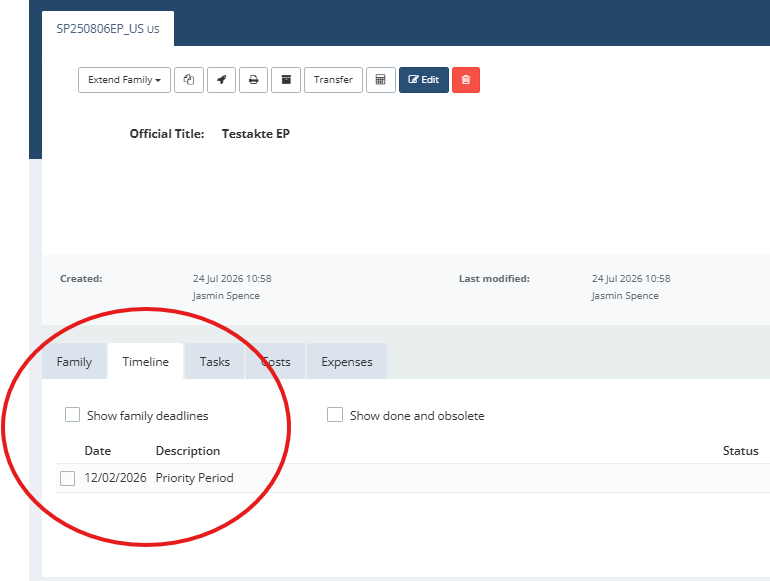
| The subsequent application claiming priority can now be further processed independently (for example by entering filing data, uploading documents, etc.). The applicable priority deadline is automatically calculated and displayed within the subsequent application. | |
 | |
| The source file and the subsequent application claiming priority are now linked to each other within the system. | |
| Example: View of the source file > refers to the US subsequent application 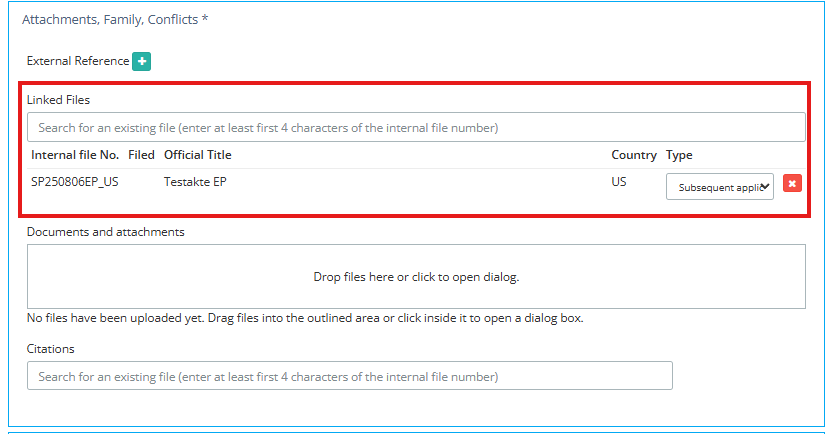 | Example: View of the subsequent application claiming priority > refers to the EP priority 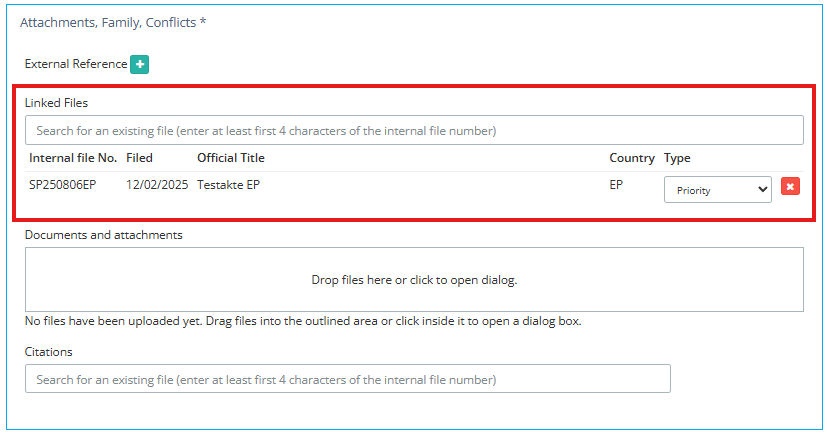 |
Further information and articles ➔ Priority Data in Continux – Basics and Overview | |
War dieser Artikel hilfreich?
Das ist großartig!
Vielen Dank für das Feedback
Leider konnten wir nicht helfen
Vielen Dank für das Feedback
Feedback gesendet
Wir wissen Ihre Bemühungen zu schätzen und werden versuchen, den Artikel zu korrigieren