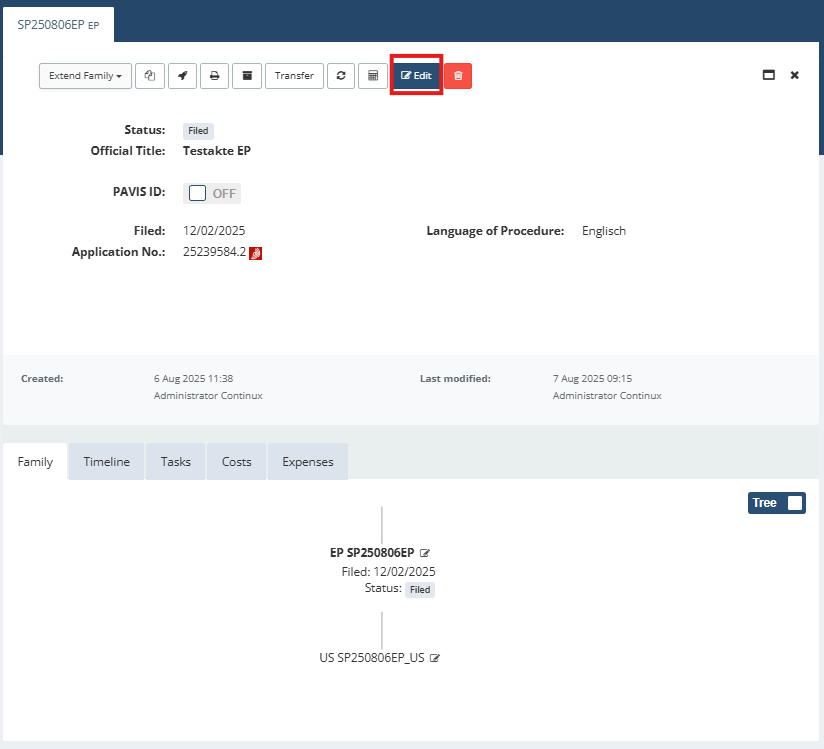
In certain cases, it is necessary or advisable to docket priorities manually in Continux – for example, where protection rights are added to the system retrospectively, where several priorities exist, or where no automatic link has been created via the workflow. For manual docketing, Continux distinguishes between: – Internal priority, i.e. the link to a file already held in the system – External priority, where a third-party protection right or an application outside the Continux IPMS is docketed as the priority This guide shows you, step by step, how to docket both variants and which entries are required. Here’s how it’s done: 1. Open the target file (subsequent application) and click “Edit” | ||
| ||
| 2. Switch to the “Attachments, Family, Conflicts” tab 3. Choose between the following entry types: - Internal priority, i.e. the link to an existing file in the system via family references - External priority, free-text entry via “External Reference”, e.g. for a third-party protection right | ||
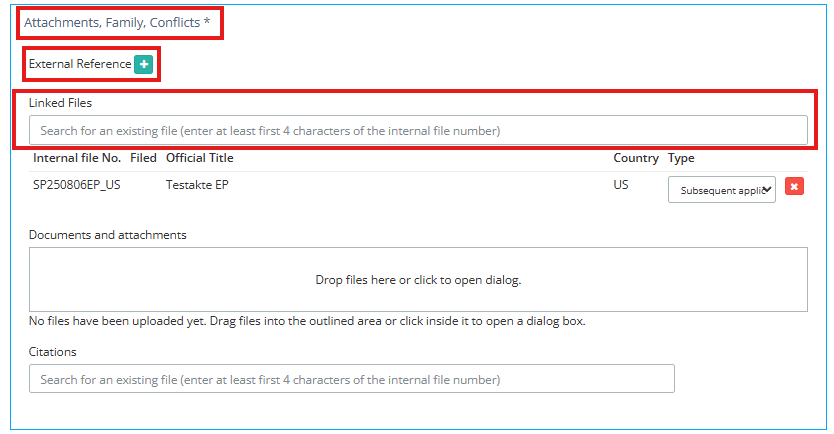 | ||
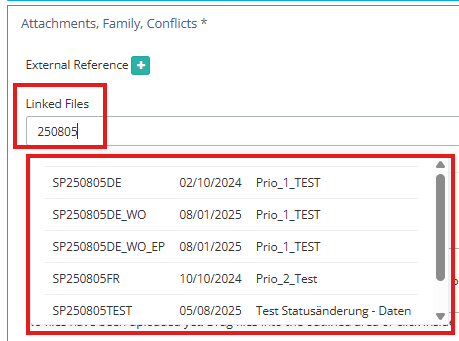
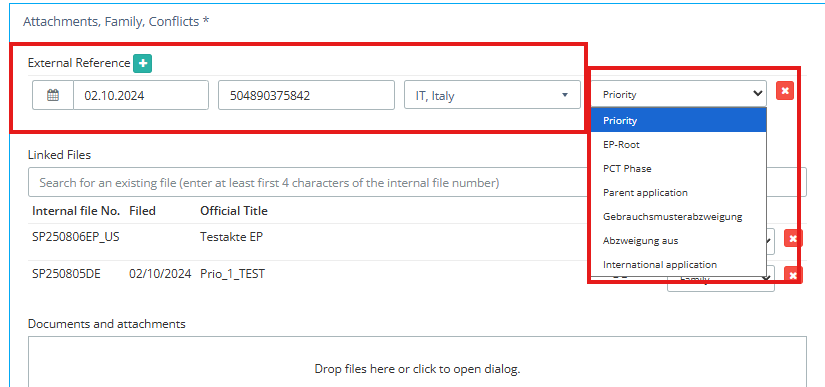
| Docketing an internal priority 4. Locate the “Family References” section 5. Enter the file number of the priority-establishing application already held in the system in the relevant field, or select it from the suggestions. Note: As soon as you start typing, the system will suggest matching file numbers. If a file does not yet exist in the system, it must first be created. | Docketing an external priority 4. Locate the “External References” section and click the green plus icon to the right of it 5. A new entry row appears. Enter the relevant details of the external priority here (filing date, etc.) | |
 |  | |
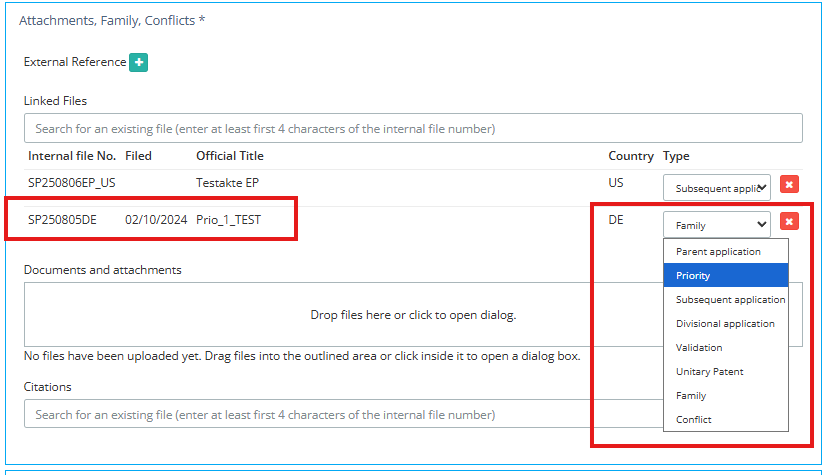
| 6. In the drop-down menu, select the link type “Priority”. | 6. In the drop-down menu, select the link type “Priority”. | |
 |  | |
| 7. Confirm your entry by clicking “Save”. Note: This method of docketing links two internal Continux files. Please note that this link is not created bidirectionally by default. If required, the priority must also be entered in the source file. | 7. Confirm your entry by clicking “Save”. Note: External priorities are not linked within the system and therefore do not appear in the family tree. To make them visible nonetheless, you can additionally store the key details in the file’s note field. | |
Further reading: ➔ Overview: Priority Data in Continux – Basics and Overview ➔ Creating a Subsequent Application Prio in Continux via “Subsequent Application Prio” Workflow ➔ Display of Priorities in Continux – in the File and in the Family Tree | ||
War dieser Artikel hilfreich?
Das ist großartig!
Vielen Dank für das Feedback
Leider konnten wir nicht helfen
Vielen Dank für das Feedback
Feedback gesendet
Wir wissen Ihre Bemühungen zu schätzen und werden versuchen, den Artikel zu korrigieren