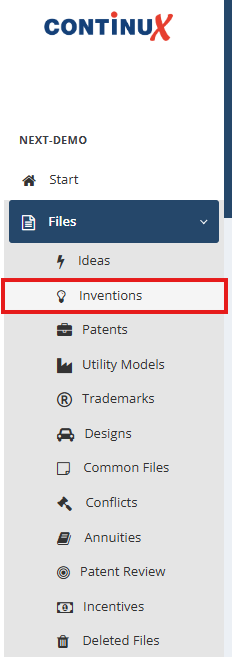
The following procedure explains the basic steps for creating a file for a new invention disclosure. From this invention disclosure, a patent application can be created at a later stage, which is linked directly to the corresponding IP portfolio via an automated workflow. Creating an invention disclosure 1. In the main left menu, select Files → Invention. | |
| |
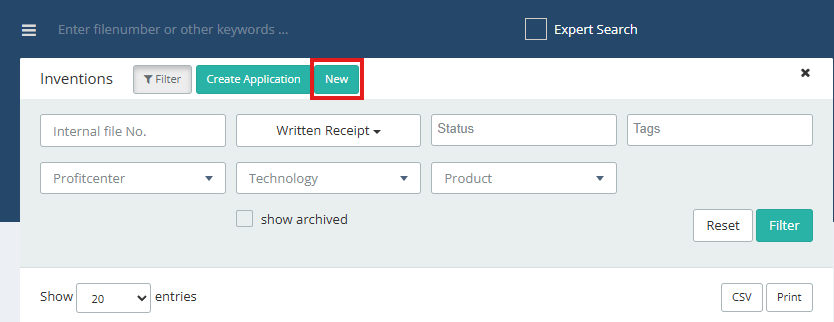
2. Click the green New button. | |
 | |
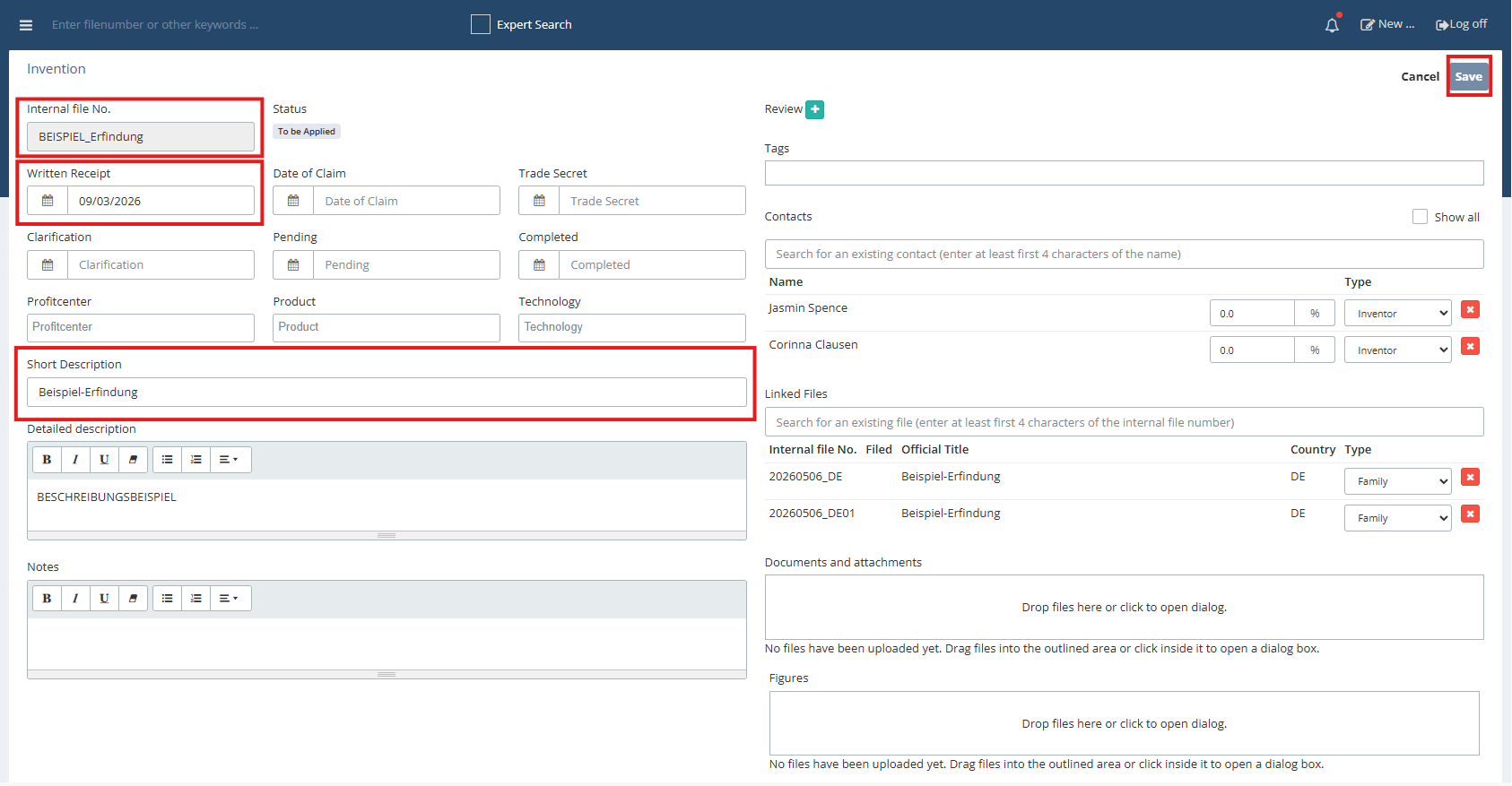
3. A new invention disclosure is created. 4. Enter the date of receipt; this is used to generate the release deadline. Note: Additional date fields, such as claim, generate further relevant deadlines in the deadline management for an invention disclosure. | |
| |
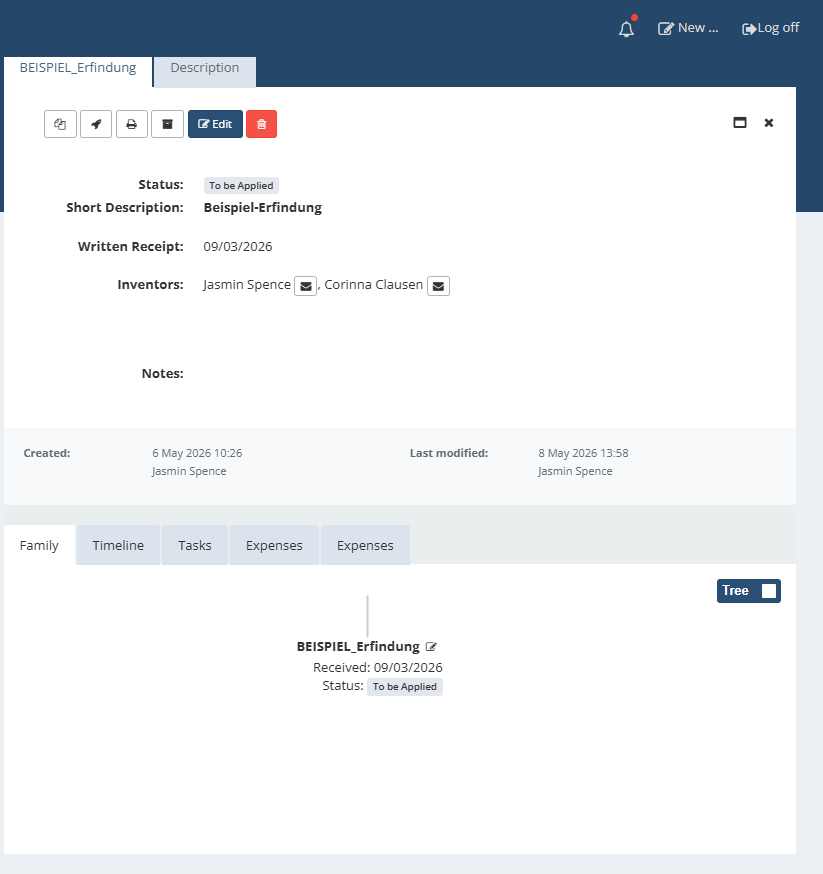
5. Add a short description, detailed description, notes, and other available fields as required. 6. Save the invention disclosure by clicking the Save button. 7. The status of the invention disclosure is initially set to Received. | |
| |
Important note The invention disclosure forms the basis for the subsequent workflow in the event that a patent application is to be created from it. | |
Further articles ➔ Workflow: Create a patent file from an invention disclosure ➔ Files - Invention disclosure vs. Patent file – What goes where? | |
War dieser Artikel hilfreich?
Das ist großartig!
Vielen Dank für das Feedback
Leider konnten wir nicht helfen
Vielen Dank für das Feedback
Feedback gesendet
Wir wissen Ihre Bemühungen zu schätzen und werden versuchen, den Artikel zu korrigieren